
Next.js Turbopack Chunking: Tune Bytes, Requests, and Cache Reuse
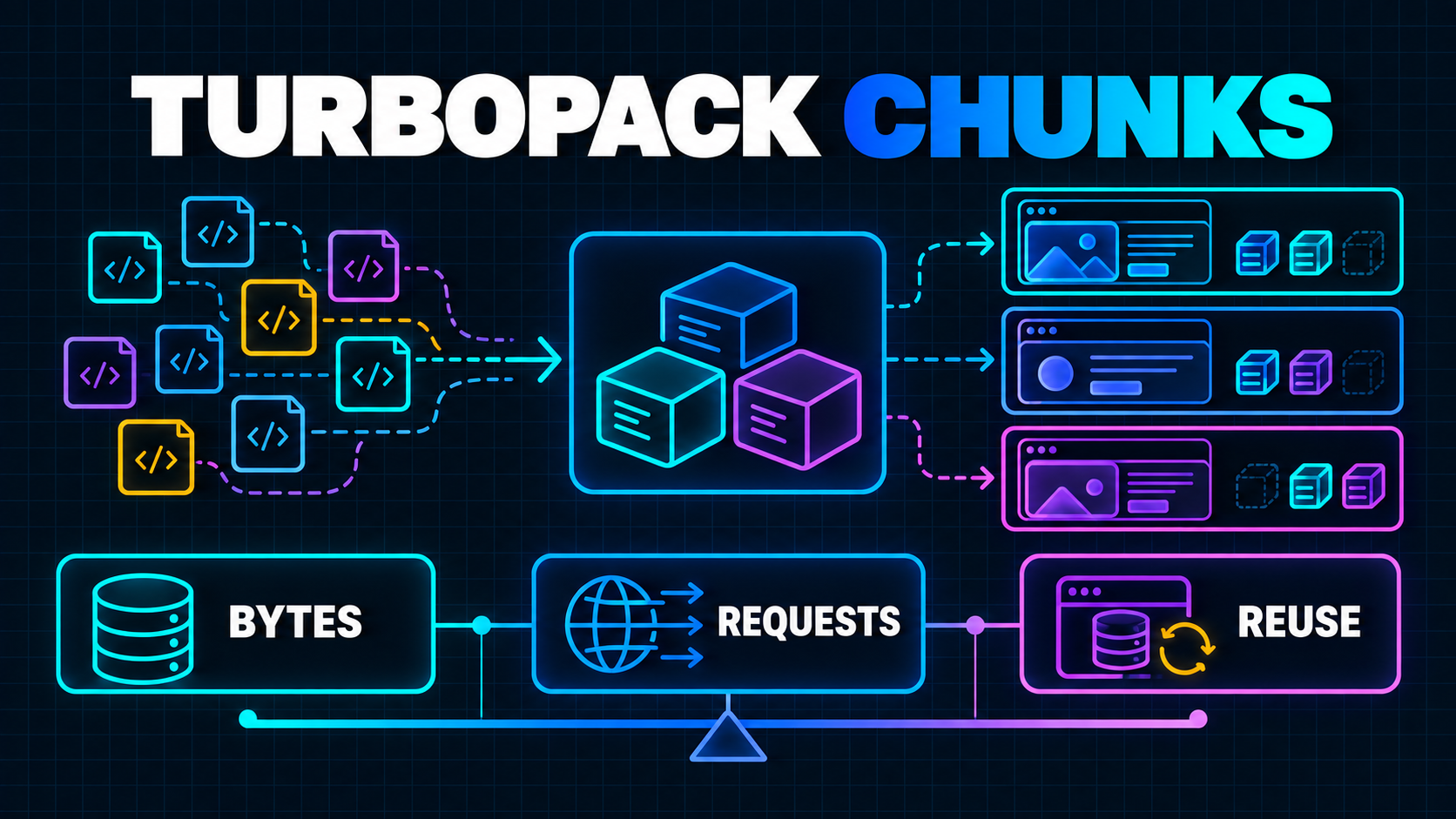
A Next.js application can ship less JavaScript on the first screen and still become slower across a real customer session.
The opposite can happen too. Combining code into fewer files may make the first route look efficient, then force the browser to download overlapping code again when a user moves from customers to invoices to reports.
That tension is the point of chunking. The bundler is not merely trying to create the smallest file or the fewest requests. It is deciding which modules should travel together, which routes can reuse them, and where a merge saves a request without causing duplicate downloads later.
Next.js published a detailed explanation of Turbopack's chunking model and new Next.js 16.3 experiments on September 3, 2026. The controls are useful for studying mature SaaS applications with distinct traffic patterns, but they are experimental. The current turbopackChunking reference explicitly says the feature is not recommended for production. The practical move is to measure representative journeys, fix obvious client-bundle problems first, and test one chunking hypothesis at a time in staging or a controlled preview.
Chunking Is a Session Problem, Not a Bundle Screenshot
Consider a SaaS product with these journeys:
/dashboard -> /customers -> /customers/123
/dashboard -> /invoices -> /invoices/456
/dashboard -> /reports -> /reports/revenue
All three start in the dashboard shell. The customer routes may share a data grid and profile controls. Invoice routes may share payment components. Reports may depend on a large charting library that the other paths never use.
One enormous client chunk maximizes reuse after the first load, but every visitor pays for code belonging to routes they may never open. One chunk per route reduces that initial over-shipping, but shared modules can be duplicated. One file per module maximizes reuse precision, yet creates many small requests and weakens compression.
Turbopack's default approach merges smaller chunks selectively. It reasons about chunk groups: sets of chunks loaded together for a route. A safe merge stays inside a group, so it does not add code that the route would not already need. The harder question is reuse. If modules A and B are merged for the dashboard, but the next page needs only A, the browser may need A again as a separate file.
This is why a single bundle-size total is not enough. The useful unit is a journey with an initial route, subsequent route transitions, and a known browser-cache state.
The same customer-centered approach appears in the soft-navigation Core Web Vitals guide. Chunk inspection explains what the browser downloaded; route-level field data shows whether that work delayed visible or interactive UI.
Measure Three Costs Separately
Before changing configuration, establish a baseline for three different costs.
1. Cold entry cost
Open a priority route with the browser cache disabled. Record:
- transferred JavaScript bytes;
- number of JavaScript requests;
- main-thread parse and execution time;
- the route's visible-content and interaction timings;
- unused JavaScript after the screen becomes useful.
Chrome's Network panel documentation explains how to disable cache, apply network throttling, preserve requests and export a sanitized HAR. Use the same device and throttling profile for every comparison.
2. Warm navigation cost
Reload once to seed the cache, clear the Network log without clearing storage, then follow a representative sequence. Record new JavaScript bytes and requests for each transition.
Preserve the log when you need a complete session view. Keep initial entry and later navigation numbers separate; adding them into one total hides where a regression occurred.
3. Code actually used
The browser may download a chunk quickly and still spend time parsing code the current route never executes. Chrome's Coverage panel reports used and unused JavaScript by resource while you interact with the application.
Coverage is diagnostic evidence, not an automatic deletion list. A rarely used export may support an error path, accessibility interaction or admin control absent from the recording. Use it to find suspicious libraries and route boundaries, then confirm behavior before moving code.
Fix Ownership Before Tuning the Bundler
Chunking configuration cannot rescue a component tree that declares everything client-side.
If a root layout imports a large browser-only provider, analytics package, editor and chart library, those dependencies become candidates for broad delivery. The bundler can arrange the files, but it cannot decide that your architecture does not need them.
Start with four questions:
- Does this component need state, effects, event handlers or browser APIs?
- Can the server render the static portion while a smaller client component handles interaction?
- Is the dependency needed on every route that imports the shared layout?
- Can a heavy optional interface load only after the user asks for it?
Next.js documents that Server Components are code-split by default, while lazy loading applies to Client Components and imported libraries. Its lazy-loading guidance shows how next/dynamic can defer optional client code.
For example, an invoice page may not need its PDF previewer until the user opens the preview panel:
'use client';

import dynamic from 'next/dynamic';
import { useState } from 'react';

const InvoicePreview = dynamic(() => import('./invoice-preview'), {
  loading: () => <p>Loading preview...</p>,
  ssr: false,
});

export function PreviewButton() {
  const [open, setOpen] = useState(false);

  return open ? (
    <InvoicePreview />
  ) : (
    <button onClick={() => setOpen(true)}>Preview PDF</button>
  );
}
This is an architectural split based on user intent. It is easier to explain and verify than a global bundler adjustment.
Also inspect third-party scripts. Load them only in the pages or layouts that need them, and delay non-critical work. A support widget loaded from the root layout remains a root-level cost no matter how carefully application chunks are merged.
What the New Turbopack Controls Change
After the obvious ownership issues are fixed, the Next.js 16.3 experiments can test more specific hypotheses.
Smarter component-chunk fetching
experimental.turbopackChunking.generateComponentChunks makes Turbopack emit unmerged component chunks alongside merged chunks. At runtime, the client can choose the cheaper option based on pieces already loaded.
That can reduce duplicate downloads during soft navigations. It also means emitting more possible assets, so validate build output, deployment behavior and route transitions rather than assuming the flag is a universal win.
Traffic-informed priorities
The experimental chunking object also supports:
firstPageLoadPriority, a value from 0 to 1 that changes the weighting between initial visits and multi-page sessions;priorityRoutes, an array of regular expressions for routes that are common entry points;priorityBoost, which increases the single-load weighting of those routes;requestCost, the estimated cost of another request in uncompressed, unminified bytes.
These settings should reflect product evidence. A public pricing page may deserve higher first-load priority. An authenticated operations product may have long sessions where customers repeatedly move among orders, inventory and fulfilment. Do not mark every route as a priority simply because it sits near the top of the source tree.
const nextConfig = {
  experimental: {
    turbopackChunking: {
      generateComponentChunks: true,
      firstPageLoadPriority: 0.55,
      priorityRoutes: [/^\/$/, /^\/dashboard/, /^\/invoices/],
      priorityBoost: 1.25,
    },
  },
};

export default nextConfig;
The example is a staging experiment, not a recommended production configuration or universal value. Use actual entry-route and navigation data to define the regular expressions and weighting, and expect experimental APIs to change.
Smaller runtime and better tree shaking
Next.js 16.3 also exposes experimental.turbopackCjsTreeShaking and experimental.turbopackSharedRuntime. The first aims to remove unused CommonJS imports and exports that previously remained in client output. The second replaces per-page runtime chunks with one shared runtime.
Both target code that reaches the browser, not the grouping preference alone. Test them separately from analytics-based chunking so a positive result has an identifiable cause.
A Safe Evaluation Matrix
Do not enable every flag in one release. Build a small matrix around one business-critical journey.
| Variant | Change | Question | |---|---|---| | Baseline | Current production settings | What do customers receive today? | | A | Component chunks only | Do repeat navigations download less duplicate code? | | B | Shared runtime only | Do later transitions lose a request and bytes? | | C | CJS tree shaking only | Does client JavaScript shrink without library regressions? | | D | One evidence-based priority-route rule | Does a common entry improve without harming later navigation? |
For each variant, run the same cold entries and warm sequences. Compare transferred bytes, request count, used code, interaction timing, build duration and error rate.
Test production builds. Development mode has different compilation, loading and caching behavior. Keep the framework patch version, Node version, lockfile and test device fixed while comparing variants.
There is a second cache boundary too: deployment artifacts. The Turbopack build-cache guide covers compiler state in CI. Browser chunk reuse and CI build caching solve different problems; a faster build says nothing about the JavaScript a customer downloads.
Failure Modes That Benchmarks Miss
A fast first page that harms paid workflows
Optimizing the dashboard entry may push more bytes onto invoice or report navigation. Weight the path that completes valuable work, not merely the route easiest to benchmark.
Priorities based on guesses
Routes that look related in code may not appear together in sessions. Derive clusters from normalized route templates and transition counts, excluding tenant IDs and sensitive query strings.
A library that defeats the intended split
Barrel imports, side effects or a shared client provider can pull more exports into a chunk than expected. Inspect the production output and Coverage data after every dependency or import change.
Prefetching that changes the result
Next.js can prefetch linked routes, so bytes may arrive before the click. Its linking and navigation documentation explains that static routes may be fully prefetched while dynamic routes can be skipped or partially prefetched.
Record whether a resource was prefetched. Test both hover or viewport-prefetched journeys and direct transitions where the destination was not prepared.
Smaller transfers but worse responsiveness
Fewer bytes do not guarantee a responsive interface. A newly isolated chunk can still execute expensive initialization when it arrives. Pair network measurements with long tasks, interaction timings and route-level RUM.
A Seven-Step Turbopack Chunking Plan
- Choose three real journeys. Include a public or login entry, a frequent paid workflow and one long authenticated session.
- Capture cold and warm baselines. Save sanitized HAR files and record route-level timing, request count, transferred JavaScript and Coverage results.
- Reduce obvious client ownership. Narrow
use clientboundaries, localize third-party scripts and lazy-load genuinely optional interfaces. - Define a hypothesis. State exactly what should improve, such as fewer duplicate bytes from
/customersto/invoices. - Enable one experiment. Keep dependencies and infrastructure stable, build for production and execute the same journey matrix.
- Check correctness and tails. Exercise back navigation, slow networks, failed chunk requests, deployment rollovers and less common roles—not only median desktop speed.
- Keep the preview disposable. Make the configuration easy to revert, segment metrics by release, and wait for production guidance before treating the experiment as a default.
Optimize the Journey, Not the Number of Files
Turbopack's new chunking controls make a hidden performance trade-off more visible: initial bytes, request overhead and cache reuse compete with one another.
That does not mean every SaaS team needs a custom chunking strategy. Most should first improve component ownership, route boundaries and optional dependency loading. When a mature product still shows duplicate downloads or route-specific waste, the experimental controls provide a disciplined way to test what its traffic pattern actually needs.
Start with a journey, preserve a baseline, change one variable and measure the browser's work across the whole session. If you need help connecting those findings to component boundaries, loading strategy and field performance, a focused Next.js performance review can turn the network trace into a production plan.
Working on a SaaS that's starting to feel fragile?
Talk to an engineer about the parts that break first — without rewriting what already works. We'll recommend focused support or a compact team based on your scope.
Talk to an Engineer