
Your Next.js CI Is Rebuilding Everything: A Turbopack Cache Guide
A slow Next.js build is easy to tolerate once.
It becomes expensive when every pull request, preview environment and production release repeats work that the previous run already completed. Engineers wait for feedback, fixes queue behind CI, and a small change inherits the cost of compiling the entire application again.
Next.js 16.3 gives teams a more direct way to address that problem. The release makes Turbopack's persistent filesystem cache available to next build, so a later build can restore previously computed compiler work instead of starting cold. The official Next.js 16.3 release shipped on August 3, 2026, after the feature had been previewed and hardened earlier in the summer.
This is not the same as caching npm downloads, application data or a deployed page. It is a compiler cache. Treating those layers as interchangeable is how teams create confusing workflows and unsafe invalidation rules.
The practical goal is simple: make repeated builds faster while keeping every production artifact reproducible, current and easy to rebuild from scratch.
What the Turbopack Build Cache Actually Reuses
Turbopack is incremental. It models compilation as many connected units of work and tracks which inputs each unit depends on. If the inputs are unchanged, the result can be reused rather than recomputed.
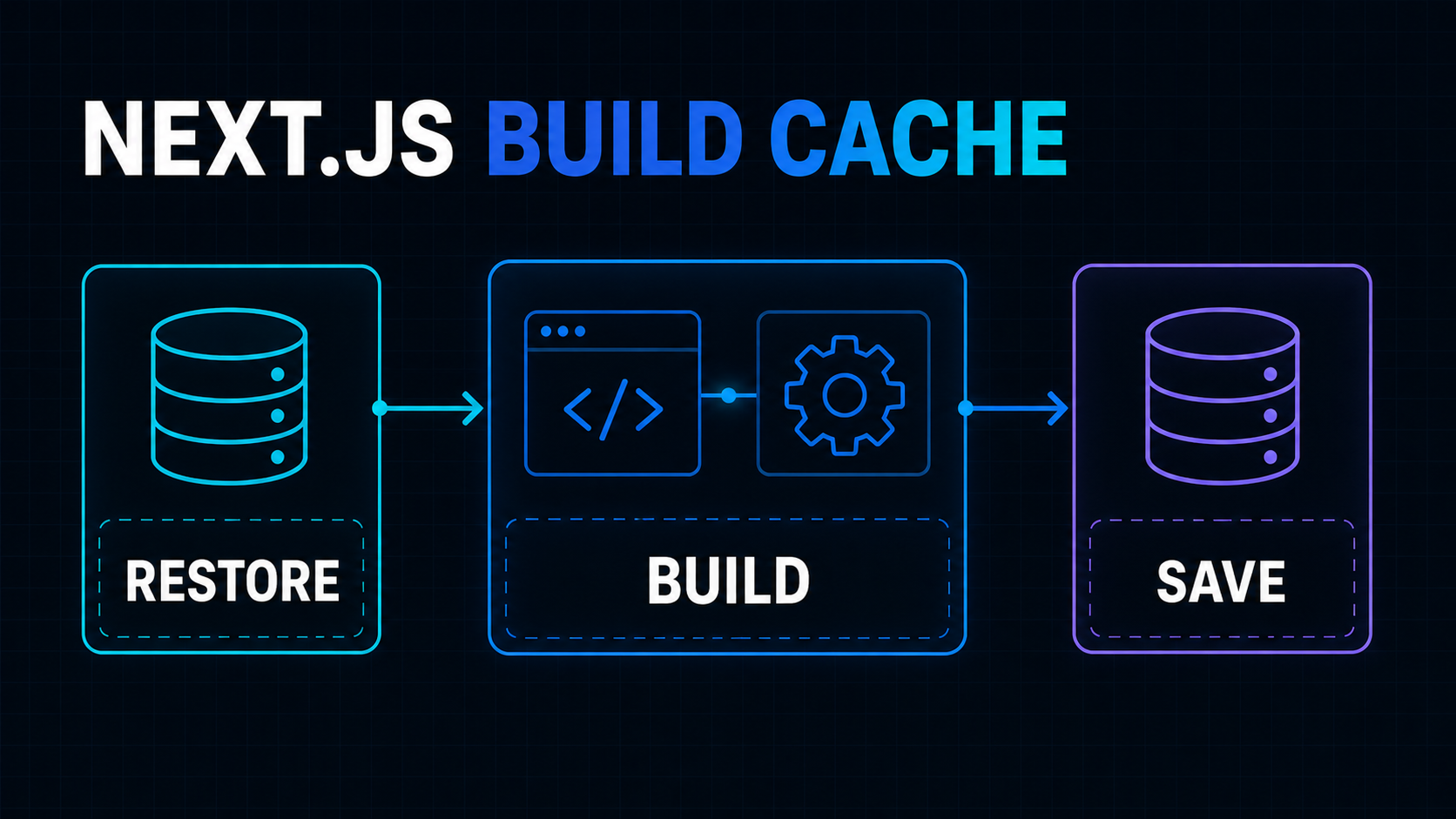
Before persistent caching, much of that reuse ended when the process exited. A clean CI runner therefore lost the work at the end of every job. The filesystem cache serializes reusable compiler state into the .next directory, allowing another next build to restore it.
The Next.js team's Turbopack 16.3 announcement is careful about the result: there is no universal speedup. The benefit depends on the application graph, the changed files and how much prior work can be reused. Their examples show why measurement must happen on your repository rather than becoming a copied marketing number.
That model leads to three important expectations:
- The first build remains cold and establishes the cache.
- A later build is faster only when enough relevant work remains valid.
- Type checking, static generation and other build phases may still dominate after compilation becomes faster.
A cache hit is therefore not the final success metric. The useful metric is time saved across the full CI job without changing the resulting application.
Do Not Confuse the Four Caches
Next.js projects often use the word “cache” for several unrelated systems. Name the layer in architecture notes and CI logs.
Package-manager cache
The npm, pnpm or Yarn cache avoids downloading packages repeatedly. It accelerates dependency installation, not application compilation.
Its key normally follows the lockfile and runtime environment. Changing application source should not force all dependency tarballs to be downloaded again.
Turbopack compiler cache
This run's subject stores prior bundling and compilation work. It is consumed by next build and must follow compiler-relevant inputs such as the Next.js version, lockfile, configuration and source graph.
Next.js data and route cache
Cache Components, use cache, ISR and revalidation control data or rendered output used by the application. They affect what users receive at runtime. They are separate from whether Turbopack recompiles a module during CI.
If runtime caching is the current concern, start with the site's Next.js 16 App Router caching guide. Do not change a route's freshness policy to solve a slow compiler.
CI artifact storage
A deployment artifact is an output intended to be tested or released. A build cache is disposable input to a future build.
Never deploy a restored .next directory without running the current commit's build. Restore cache state, run next build, test the new output, and deploy only that output.
Enable It as an Explicit Production Experiment
Next.js 16.3 uses Turbopack by default for production builds, but persistent caching for next build remains opt-in. The current filesystem cache configuration reference places the build flag under experimental:
import type { NextConfig } from "next";

const nextConfig: NextConfig = {
  experimental: {
    turbopackFileSystemCacheForBuild: true,
  },
};

export default nextConfig;
That namespace is useful information. The framework release is stable; this production cache flag is still a feature that needs repository-specific validation and an easy rollback.
Enable it in a small pull request with no unrelated application changes. This gives the team a clean before-and-after comparison and makes disabling it a one-line revert if the environment exposes a cache problem.
Also confirm that the build is actually using Turbopack. A project that explicitly runs next build --webpack, or depends on a webpack plugin without a Turbopack alternative, will not receive this cache behavior.
Persist the Right Directory in CI
The framework writes build cache data beneath .next/cache. A hosted runner starts clean, so the workflow must restore that path before npm run build and save it after a successful job. Next.js maintains CI build-caching examples for GitHub Actions, GitLab, CircleCI, AWS CodeBuild and other platforms.
A GitHub Actions starting point looks like this:
- uses: actions/checkout@v6

- uses: actions/setup-node@v6
  with:
    node-version: 24
    cache: npm

- run: npm ci

- name: Restore Next.js build cache
  uses: actions/cache@v4
  with:
    path: .next/cache
    key: >-
      ${{ runner.os }}-node24-next-${{
      hashFiles('package-lock.json', 'next.config.*', 'tsconfig.json')
      }}-${{ github.sha }}
    restore-keys: |
      ${{ runner.os }}-node24-next-${{ hashFiles('package-lock.json', 'next.config.*', 'tsconfig.json') }}-

- run: npm run build
The exact key is unique to the commit, while the restore prefix can reuse the newest compatible cache from the same operating system, Node major, dependency graph and core configuration.
This is deliberately more specific than next-cache-main. A cache key is part of the build design. If two runners use different operating systems, Node majors or dependency graphs, they should not silently share compiler state.
GitHub's cache-key and restore-key reference explains the matching order and a security constraint teams often miss: repository caches are readable from some pull-request contexts, so secrets must never be written into cached paths.
The same principle applies outside GitHub Actions. Restore the compiler cache before the build, update it only after a successful trusted build, and separate incompatible environments in the key.
Cache Keys Need a Narrow Compatibility Boundary
An overly broad key maximizes hits but weakens confidence. An overly narrow key creates a new cold cache every time and provides little value.
Start by including:
- Operating system and CPU architecture when runners vary
- Node.js major version
- Package-manager lockfile hash
next.configand TypeScript configuration hashes- The current commit as the exact key
- A restore prefix that stops at the shared compatibility inputs
For a monorepo, also include the workspace lockfile and the configuration files that affect the application. If generated clients, local packages or shared build tools sit outside the app directory, ensure their changes participate in the workflow's source checkout and build graph.
Environment variables require judgment. Do not place secret values in a key or log. Do include a harmless version label when an environment flag materially changes compilation, such as a build target or feature bundle.
When uncertain, prefer a colder boundary. Wasting a few minutes is easier to diagnose than shipping output built from an invalid assumption.
Prove Correctness Before Optimizing for Hit Rate
Build-cache validation should compare outputs, not only exit codes.
Choose a representative change set:
- Edit a server component.
- Edit a client component and its CSS.
- Change a route added through a dynamic segment.
- Change environment-dependent public configuration.
- Update one dependency.
- Change a shared package in a monorepo.
For each case, run one build with the restored cache and one from a clean .next directory. Compare the routes, static assets and behavior that the change should affect.
You do not need byte-for-byte equality when build IDs or timestamps are intentionally different. You do need semantic equality: the current source appears, removed code is absent, route manifests are correct, and the application starts using only the packaged output.
Keep this command available in CI and local runbooks:
rm -rf .next
npm run build
It is an escape hatch, not a routine fix. If only clean builds are reliable, disable the persistent cache and investigate rather than teaching the team to retry deployments until one passes.
Measure the Pipeline That Engineers Experience
A warm compile can improve while the overall feedback loop stays unchanged.
Record at least these timings separately:
- Checkout and cache restore
- Dependency installation
- Next.js compilation
- TypeScript checking
- Page-data collection and static generation
- Tests and artifact upload
- Total pull-request feedback time
Measure a cold baseline, a warm no-change build, and a warm representative-change build. Use multiple runs because hosted runner performance and network transfer vary.
Also record cache archive size and restore time. A large cache that saves little compiler work can be a net loss, especially on smaller applications. Turbopack's incremental architecture is designed to avoid repeated work, but the Next.js team notes in its technical explanation of incremental computation that caching itself consumes CPU, memory and storage. The correct decision is empirical.
This same discipline applies to user-facing performance. Faster deployment does not make a slow dashboard faster; it only shortens the path to shipping improvements. Use the Next.js performance audit guide for runtime bottlenecks.
Common Failure Modes
Caching the whole deployment output
Restoring all of .next without understanding its contents can mix reusable compiler state with outputs that should be regenerated. Cache .next/cache for the optimization and treat the finished build directory as a fresh artifact.
Saving caches from failed or untrusted jobs
A failed build is a poor cache producer. A low-trust pull request should not be able to publish state consumed by protected production workflows.
Use the CI platform's scope rules, save only after success, and let a trusted default-branch build refresh the shared cache.
Using one key across every branch and environment
Preview, staging and production may compile with different public environment variables or platform settings. If those inputs affect the bundle, separate them intentionally.
Celebrating a hit without checking total duration
Archive download and decompression can cost more than recomputing a small project. Remove the cache if measurements show no meaningful improvement.
Mixing the experiment with a framework upgrade
Upgrade to Next.js 16.3, validate the ordinary clean build, and then enable persistence. Two separate changes make regressions and rollback much easier to reason about.
A Seven-Step Rollout Plan
Use this plan for one application before standardizing the pattern across a monorepo or company.
- Capture five clean build baselines. Record each build phase and total duration.
- Upgrade and validate Next.js 16.3. Keep the persistent build flag off for the first comparison.
- Enable the flag in a dedicated change. Confirm Turbopack is the active bundler.
- Persist only
.next/cache. Partition the key by runtime, dependencies and configuration. - Run the correctness matrix. Compare cached and clean builds for source, style, route, dependency and environment changes.
- Observe for one release cycle. Track cache size, restore time, build failures and total feedback time.
- Document rollback. One owner should know how to disable the flag, clear the cache and force a clean production build.
If the application is already struggling with slow or fragile releases, a broader SaaS MVP audit can identify whether compilation is the real constraint or merely the most visible one.
Faster Builds Should Increase Confidence
The value of a persistent build cache is not a nicer benchmark screenshot. It is a shorter, more reliable feedback loop.
Teams should be able to ship a small fix, receive CI results sooner and still trust that the current commit produced the deployed artifact. That requires a precise cache boundary, explicit invalidation inputs, clean-build comparisons and a rollback path.
Next.js 16.3 makes the compiler work reusable. The engineering task is to make that reuse observable and disposable. If deleting the cache always returns the system to a correct build, the optimization remains an optimization instead of becoming hidden infrastructure debt.
Working on a SaaS that's starting to feel fragile?
Talk to an engineer about the parts that break first — without rewriting what already works. We'll recommend focused support or a compact team based on your scope.
Talk to an Engineer