
Chrome Stopped Firing Unload: A SaaS Migration Playbook
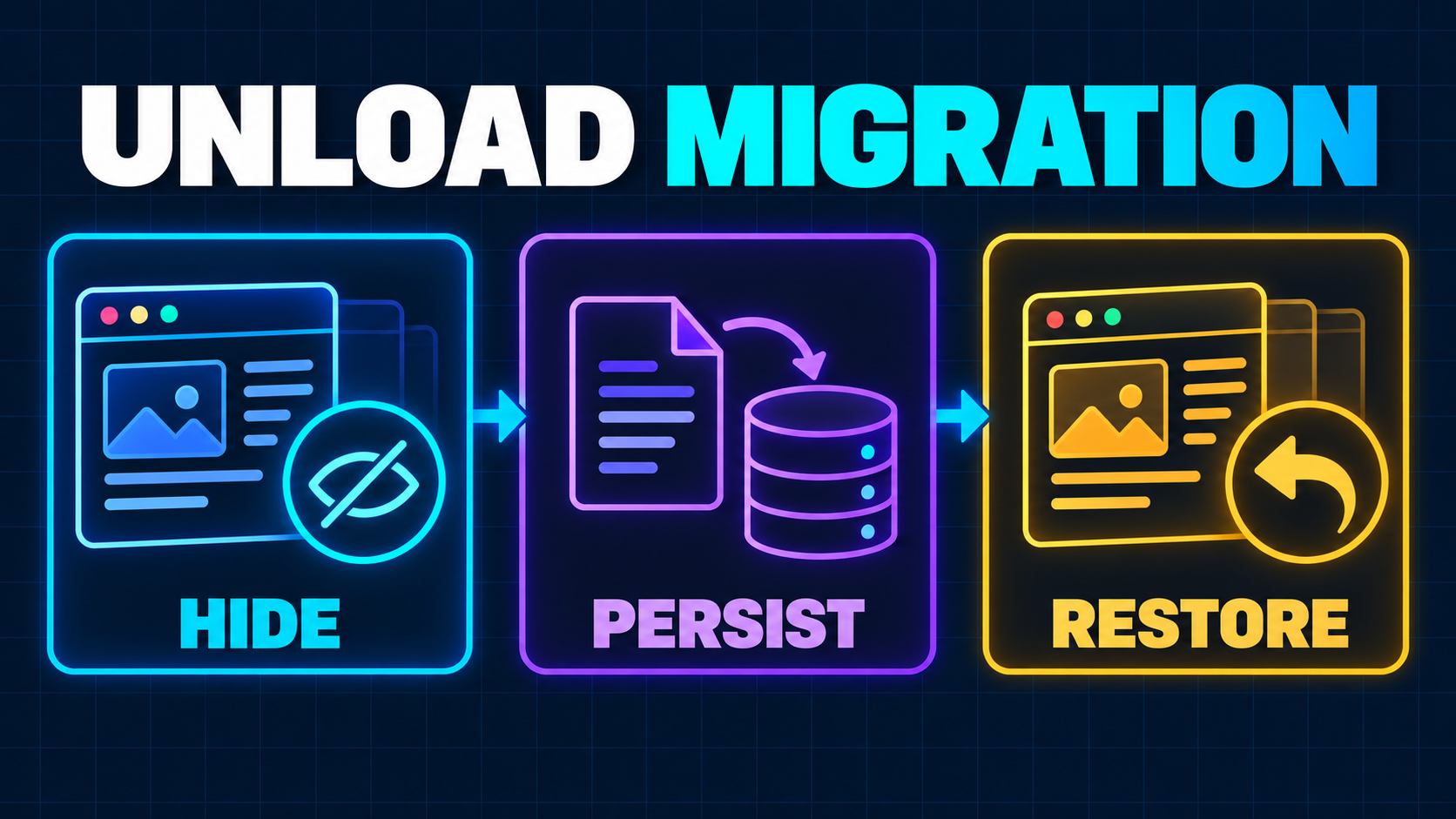
An unload listener can sit unnoticed in a SaaS frontend for years. It may send the final analytics event, save a draft, release a lock, close a connection, or tell the backend that a user has left.
That code is now a production risk, not merely an old API.
On October 16, 2026, Chrome confirmed that its staggered deprecation is complete in Chrome 155. By default, unload handlers no longer fire in Chrome, and the change is expected to reach other Chromium-based browsers as their codebases adopt the default. Chrome on iOS remains a special case because it uses WebKit. The official deprecation announcement also makes the deeper point: unload was never a dependable end-of-session signal, especially on mobile.
The right Chrome unload event migration is not a one-line replacement. Different responsibilities belong on different lifecycle signals, and some important work should not depend on a browser callback at all.
Why Replacing unload Matters Now
The old page model was simple: a document loaded, the user interacted, and the document unloaded. Modern browsers can hide, freeze, preserve, restore, or discard a page. A mobile operating system can kill a backgrounded tab without giving the page one last chance to run JavaScript.
The back/forward cache, or bfcache, adds another state. Instead of destroying a page when the user navigates away, the browser may freeze it in memory and restore it when the user goes back. An unload handler assumes the page is ending; bfcache assumes the page may continue. Both cannot define the same transition safely.
Chrome reports that, during the deprecation rollout, unload usage fell from 18% of navigations to under 4%. It also says removing unload as the sole bfcache blocker gave an additional 5% of navigations access to instant back/forward restoration. Those are ecosystem measurements, not a promise about any individual SaaS product, but they show why the browser chose a definitive behavior.
For a product team, there are two separate risks:
- Reliability risk: analytics, drafts, locks, or presence state can silently fail because the callback does not run.
- Performance risk: legacy listeners can make pages ineligible for bfcache in browsers that still treat the handler as a blocker.
This is especially relevant to React and Next.js dashboards. Customers often move between a list, detail view, settings screen, and browser history without a full reload. The perceived speed of those return journeys is part of product quality, just like the route transitions covered in the soft-navigation Core Web Vitals guide.
Start With an Ownership Audit, Not Search and Replace
Finding the literal event name is necessary, but it is not enough.
Search first-party code, injected scripts, tag-manager containers, analytics adapters, support widgets, payment integrations, and compiled browser bundles for these patterns:
addEventListener("unload", ...)
addEventListener('unload', ...)
window.onunload = ...
onunload=
Then write down what each handler is trying to guarantee. A useful inventory has four columns:
| Current responsibility | Required outcome | Better owner | Failure consequence |
| --- | --- | --- | --- |
| Flush analytics | Deliver best-effort session events | visibilitychange plus durable queue | Missing or duplicated product data |
| Save a draft | Preserve user work | Incremental local persistence plus server sync | Customer loses edits |
| Close a socket | Release client resources | pagehide or freeze, reopen on restore | Duplicate connections or blocked cache |
| Release a server lock | Expire exclusive authority | Server lease with timeout and renewal | Record remains incorrectly locked |
| Warn about edits | Ask before destructive navigation | Conditional beforeunload | Customer leaves with unsaved work |
The distinction matters because lifecycle events do not provide exactly-once execution. Moving every handler from unload to pagehide recreates the same architecture with a newer name.
Use your browser bundle as evidence. A dependency can register a listener even when the source repository contains no match. Chrome DevTools' Application panel includes a Back-forward Cache test, and Lighthouse can flag unload listeners. The web.dev bfcache guide also recommends the defensive Permissions-Policy: unload=() header when a site has completed its migration, preventing first-party or third-party code from adding the legacy handler in supporting Chromium browsers.
Map Each Job to the Right Lifecycle Signal
There is no universal replacement because “the user left” is not one browser state.
Use visibilitychange for final observable state
When document.visibilityState becomes hidden, the page may be switching tabs, navigating, moving to the background, or approaching termination. Chrome's Page Lifecycle guidance treats that transition as the last reliably observable point, particularly on mobile.
That makes it the right moment to persist a small checkpoint and attempt a final analytics flush:
function flushSession() {
  const batch = analyticsQueue.takePendingBatch();
  if (batch.length === 0) return;

  const accepted = navigator.sendBeacon(
    "/api/analytics",
    JSON.stringify({ events: batch }),
  );

  if (!accepted) analyticsQueue.restore(batch);
}

document.addEventListener("visibilitychange", () => {
  if (document.visibilityState === "hidden") {
    draftStore.checkpoint();
    flushSession();
  }
});
sendBeacon() queues a small asynchronous POST without delaying navigation. Its boolean result says whether the browser queued the data, not whether the server processed it. The MDN guidance for sendBeacon recommends fetch() with keepalive: true when you need another HTTP method, custom request properties, or access to the response.
Treat either transport as best effort. Give each analytics batch an ID, accept retries, and deduplicate server-side. Keep the payload small. Do not try to compress a backlog, calculate a report, or wait for a response during the hidden transition.
Persist drafts before the page becomes hidden
A lifecycle callback should be the final checkpoint, not the first save.
For forms, editors, workflow builders, and multi-step onboarding, persist locally as the user changes meaningful state. Debounce writes during active editing, store a version and timestamp, and sync to the server when connectivity permits. When the page becomes hidden, flush only the already-prepared snapshot.
This approach survives more than the Chrome change. It also covers crashes, discarded tabs, network loss, and a battery-starved mobile browser that never runs a termination callback.
If the draft has business value, design recovery explicitly:
- Load the newest local and server versions.
- Compare document IDs and version numbers.
- Restore automatically when there is one clear winner.
- Ask the user when both versions contain divergent edits.
- Clear the recovery record only after a confirmed save.
That is a product workflow, not an event-handler trick.
Use pagehide or freeze for resource cleanup
Some resources should be released when a page is about to enter bfcache: Web Locks, BroadcastChannel instances, IndexedDB connections, WebRTC sessions, polling loops, and, depending on browser behavior, WebSockets.
Use pagehide for broad compatibility. Its persisted property indicates that the browser intends to preserve the page, although it does not guarantee that the page will remain cached. Use pageshow to restore resources, and make the reopen path idempotent:
let channel: BroadcastChannel | undefined;

function connect() {
  if (!channel) channel = new BroadcastChannel("account-events");
}

function disconnect() {
  channel?.close();
  channel = undefined;
}

window.addEventListener("pagehide", disconnect);
window.addEventListener("pageshow", connect);

connect();
Do not assume that pageshow means a new document. A restored page carries its JavaScript heap and UI state forward. Re-registering subscriptions without guards can create duplicate sockets, timers, observers, and event delivery.
Reserve beforeunload for a real warning
beforeunload is not a replacement for analytics or background cleanup. Its legitimate purpose is narrow: warn a user who has unsaved changes and is about to leave.
Attach the listener only while the form is dirty, then remove it immediately after a successful save. An unconditional listener is unreliable and can still interfere with navigation optimizations in some browser versions.
Never use the dialog as your persistence strategy. The browser controls its wording, mobile flows may bypass it, and a user can still choose to leave.
Move Authority to the Server
The most dangerous unload handlers are the ones that control server truth.
Consider an admin editing a billing rule. The browser acquires a lock and releases it in unload. When the callback stops firing, the record can remain locked until an operator intervenes. Replacing unload with visibilitychange is also wrong: a tab can become hidden temporarily, and backgrounding should not necessarily surrender an active edit.
Use a lease instead:
- the server grants ownership until a short expiry time;
- the active client renews the lease while the editor remains usable;
- an explicit save or cancel releases it early;
- missed renewal expires it automatically;
- every mutation still checks current ownership.
Apply the same principle to presence, carts, reservations, export jobs, and authentication. A browser callback can improve freshness, but it cannot be the only mechanism that protects correctness. Durable background work belongs in a queue or workflow, as described in the SaaS background-jobs decision guide.
Implement the Migration Safely in React and Next.js
In a Next.js App Router application, lifecycle listeners belong in a client component or client-side hook. Keep the registration stable and route business logic through a current ref so rerenders do not accumulate listeners:
"use client";

import { useEffect, useRef } from "react";

export function useHiddenCheckpoint(checkpoint: () => void) {
  const checkpointRef = useRef(checkpoint);

  useEffect(() => {
    checkpointRef.current = checkpoint;
  }, [checkpoint]);

  useEffect(() => {
    const onVisibilityChange = () => {
      if (document.visibilityState === "hidden") {
        checkpointRef.current();
      }
    };

    document.addEventListener("visibilitychange", onVisibilityChange);
    return () => {
      document.removeEventListener("visibilitychange", onVisibilityChange);
    };
  }, []);
}
The cleanup returned by useEffect prevents React development behavior, component remounts, and route changes from multiplying listeners. The checkpoint itself must still tolerate repeated calls. A user can hide and reveal a tab many times during one session.
Keep event IDs outside presentation components, and queue unsent work in one shared boundary. If every dashboard widget sends its own hidden-state request, the product creates a race among small payloads precisely when execution time is least predictable.
Test Outcomes, Not Whether a Callback Fired
A unit test that dispatches visibilitychange proves only that a function is wired. The migration succeeds when customer outcomes survive real lifecycle paths.
Test these scenarios on desktop and mobile where possible:
- Navigate to another route and return with the Back button.
- Switch tabs, wait, and resume the original tab.
- Background the browser, then let the operating system reclaim it.
- Close a tab with online and offline network states.
- Restore a page from bfcache and verify sockets, observers, and timers exist exactly once.
- Edit a draft, terminate the browser, and confirm recovery.
- Trigger the same analytics batch twice and confirm server deduplication.
- Start with third-party scripts enabled and check that none reintroduces
unload.
In DevTools, run the Back-forward Cache test from the Application panel and inspect actionable not-restored reasons. In field telemetry, distinguish normal loads from restored visits before interpreting a shift in page-load metrics. The official field-measurement guidance recommends sending lifetime metrics when visibility changes to hidden because later termination events are not dependable.
Connect the technical checks to product signals: recovered drafts, duplicate event rate, stale-lock expiry, reconnect failures, and bfcache restores. This follows the broader principle in minimum viable observability: instrumentation should answer whether a customer workflow completed, not merely whether code executed.
A Seven-Step Chrome Unload Event Migration Plan
- Inventory every handler. Search source, dependencies, built assets, tag managers, and runtime event listeners.
- Name the promised outcome. Separate analytics, draft persistence, resource cleanup, user warnings, and server authority.
- Remove correctness from termination callbacks. Add leases, expiries, retries, idempotency keys, and incremental persistence where needed.
- Adopt the appropriate signal. Use hidden
visibilitychangefor final observable state,pagehideorfreezefor resource suspension,pageshowfor restoration, and conditionalbeforeunloadonly for warnings. - Make every path repeatable. Deduplicate events and prevent duplicate connections after restores or React remounts.
- Test lifecycle journeys. Exercise history navigation, backgrounding, termination, offline recovery, and third-party scripts.
- Lock the legacy path out. Once production evidence is clean, add
Permissions-Policy: unload=()and alert on regressions.
Do not rely on Chrome's Permissions Policy or enterprise opt-out as the fix. Chrome says those opt-outs remain available, but the resulting event retains the same old unreliability. An opt-out is useful only as a temporary containment measure while a known dependency is migrated.
Related Reading
- Soft Navigation Core Web Vitals: A SaaS RUM Guide — measure the client-side journeys that full page-load data misses.
- Why Your Next.js App Feels Slow After Launch — audit the broader frontend and API causes behind a sluggish product.
- Minimum Viable Observability for SaaS Teams — instrument customer outcomes without building a telemetry warehouse first.
Next Step
If your SaaS depends on end-of-session analytics, browser-held locks, long-lived connections, or complex client-side drafts, prepare a list of lifecycle handlers, the affected customer workflows, current recovery behavior, and a browser trace of one back/forward journey.
A focused Next.js performance optimization review can turn that evidence into a migration plan that protects user state, restores resources safely, and lets eligible pages benefit from bfcache instead of treating every navigation as a teardown.
Working on a SaaS that's starting to feel fragile?
Talk to an engineer about the parts that break first — without rewriting what already works. We'll recommend focused support or a compact team based on your scope.
Talk to an Engineer