


Prisma Accelerate Retires December 1: A SaaS Migration Guide
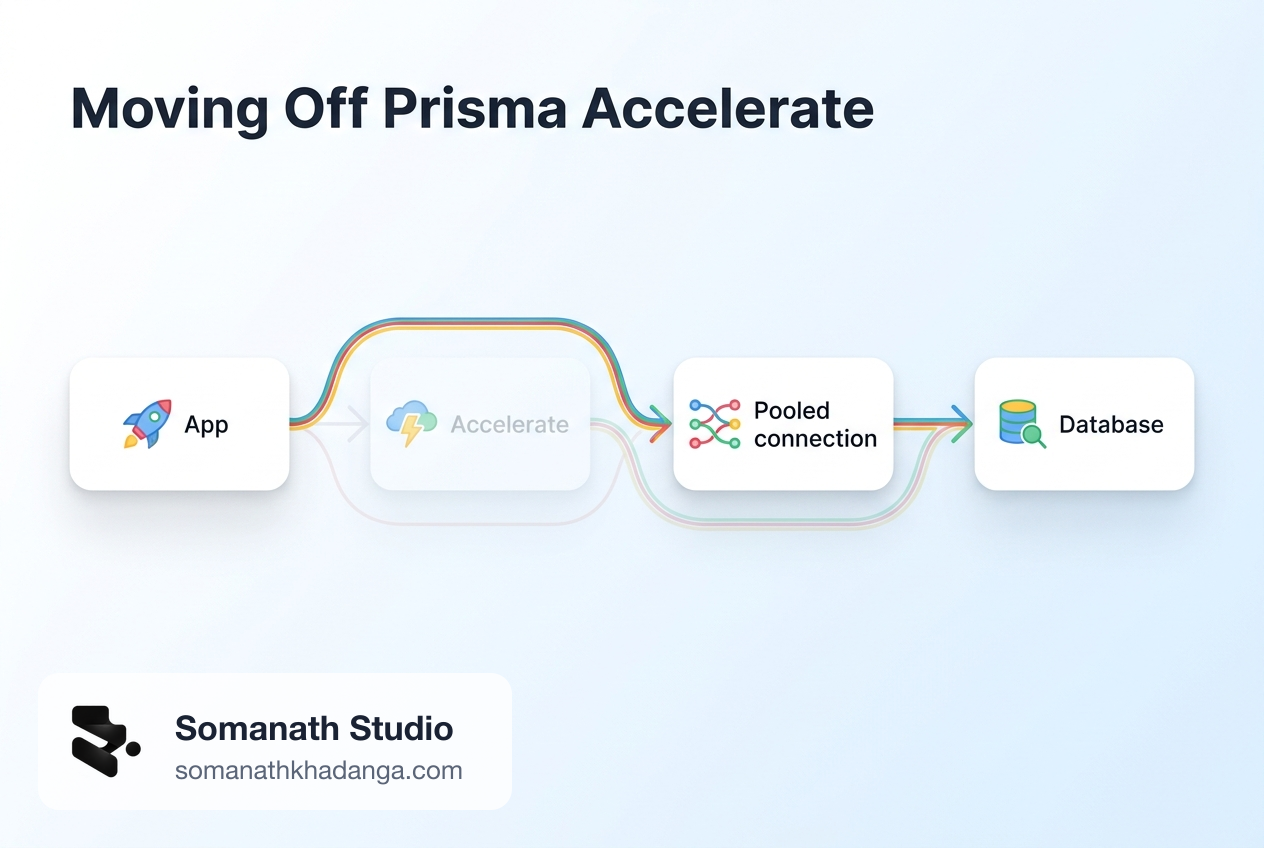
Prisma Accelerate has a shutdown date. Prisma's October changelog confirms that Accelerate is retired on December 1, 2026, and that includes hosted Accelerate connections to Prisma Postgres.
For most teams the code change is small. The risk sits around it: Accelerate did two jobs, connection pooling and query caching, and only one of those has a direct replacement. A team that swaps the URL and ships can pass every test in staging, then find out under real traffic that the database is taking load the cache used to absorb.
This guide covers how to tell which path applies to you, what to replace, how to test it, and how to keep a rollback that still works after the cutoff.
Who is affected, and which path you are on
Check the deployed value of DATABASE_URL, not just your local .env. There are three common cases.
| What you find | What it means | Prisma's guide |
|---|---|---|
prisma+postgres://accelerate.prisma-data.net/... | Prisma Postgres, reached through hosted Accelerate. Your data stays where it is. | Connect without Accelerate |
prisma://accelerate.prisma-data.net/... | Standalone Accelerate in front of your own database, such as Postgres, MySQL, PlanetScale, or MongoDB. | Keep your existing database |
prisma+postgres://localhost:51213 | Local Prisma Postgres for development. This is not part of the hosted retirement. | None needed |
There is a fourth, optional path: moving an existing PostgreSQL database onto Prisma Postgres. Treat that as a separate database migration. Doing it inside this deadline adds a data move to what could have been a connection change, so most teams should leave Accelerate first and evaluate hosting later.
Prisma's pages state the retirement date, but they do not describe how requests will fail after it. The safe planning assumption is that any Accelerate URL still in use on December 1 stops working.
Start with an inventory
Search the code before changing anything. This command covers the terms from Prisma's two guides:
git grep -nE 'prisma(\+postgres)?://|withAccelerate|accelerateUrl|extension-accelerate|@prisma/client/edge|cacheStrategy|withAccelerateInfo|\$accelerate|--no-engine|--accelerate|--data-proxy'
git grep only sees tracked files, so also check the places it cannot reach:
- hosting provider secrets for production, preview, and staging;
- CI variables and any job that runs
prisma generateor migrations; - background workers, cron jobs, and one-off scripts deployed separately from the main app;
- other repositories that share the same database.
Record what you find. The same search is your final check before cutover, because Prisma warns that removed Accelerate APIs can fail at runtime in JavaScript, in builds that skip type checking, and in values passed through untyped code. A green build does not prove they are gone.
Pin your Prisma version first
This step prevents a confusing failure during the migration. The Prisma release status page says that npm install prisma now installs the Prisma ORM 8 command-line tool, which does not read schema.prisma and has no generate, migrate dev, or db push commands. On the day this guide was written, that page still listed Prisma ORM 8 as a release candidate, even though it is what the latest tag installs.
Prisma ORM 7 projects should lock both packages:
{
  "devDependencies": { "prisma": "^7" },
  "dependencies": { "@prisma/client": "^7" }
}
In CI or any one-off command that runs without that lockfile, write npx prisma@7 rather than npx prisma. Teams on Prisma ORM 6 should note a separate date: security patches for that line end on November 19, 2026. Prisma's Postgres guide asks anyone below 6.19 to move to 6.19 first.
Do not combine this work with a move to Prisma ORM 8. The hosted Accelerate integration does not apply to version 8, so a project already there has nothing to migrate, but a Prisma ORM 7 project that upgrades mid-deadline takes on a new query API at the same time as a new connection path. One change at a time gives you a clean signal when something breaks.
Choose the replacement connection
Pick by runtime, not by what is easiest to paste.
Prisma Postgres on a normal Node.js or Bun runtime. Use pooled TCP. Generate new credentials in the Prisma Console, and do not edit the hostname of an old string by hand. You get two URLs: pooled for the app, direct for the CLI.
DATABASE_URL="postgres://USER:PASSWORD@pooled.db.prisma.io:5432/postgres?sslmode=require"
DIRECT_URL="postgres://USER:PASSWORD@db.prisma.io:5432/postgres?sslmode=require"
On Prisma ORM 7, the client takes a driver adapter, and prisma.config.ts points at the direct URL so the CLI stops using the Accelerate string:
npm uninstall @prisma/extension-accelerate
npm install @prisma/adapter-pg pg
import { PrismaPg } from "@prisma/adapter-pg";
import { PrismaClient } from "../../generated/prisma/client";

const adapter = new PrismaPg({ connectionString: process.env.DATABASE_URL! });
export const prisma = new PrismaClient({ adapter });
Prisma Postgres on edge or TCP-constrained runtimes. Use the serverless driver with @prisma/adapter-ppg and @prisma/ppg. It talks over HTTP and WebSockets, and it takes the direct connection string as its credential.
Your own database. On a long-running server, a direct URL can work if the database's connection limit supports the workload. Serverless functions need a pooler from your provider or your own infrastructure, because each function instance can create its own pool. On edge runtimes, confirm the driver can reach the database at all before going further. Keep a separate direct URL for migrations whenever the runtime URL points at a pooler.
MongoDB needs extra care: Prisma ORM 7 does not support it, so Prisma's guide says to stay on 6.19 while removing Accelerate and treat any ORM upgrade as a later project.
Prisma ORM 6 users have one more thing to check. Removing --no-engine can bring the query engine back into builds that previously shipped without one, so review your deployment bundle size and confirm the engine file is included.
Decide what happens to cached queries
This is the step teams most often underestimate. Prisma's switch guide is direct: neither replacement path keeps Accelerate query caching, and Prisma has no replacement on its immediate roadmap. Every cacheStrategy option must go, and that query will then hit the database each time.
Go through each cacheStrategy match and put it in one of three groups:
- Drop it. Low traffic, or the query is already fast with a good index. Remove the option and move on.
- Fix the query. High traffic, but slow only because of a missing index or an over-broad
include. The cache was hiding this, so fix the cause. - Cache it yourself. High traffic, and the work is genuinely expensive. Options include your framework's data cache or a shared store such as Redis.
Group 3 has a catch. If you used tags with $accelerate.invalidate(), your code relies on on-demand invalidation, so the replacement cache needs an equivalent or users will see stale data for the full TTL. Add that work to the estimate.
What can break
Moving traffic onto a transaction-mode pooler has known effects. Prisma Postgres pooling runs PgBouncer in transaction mode, so these need a direct connection instead:
- session-level
SETcommands, advisory locks, and temporary tables that must survive across transactions; LISTEN/NOTIFY;- migrations, introspection, and
pg_dump; - queries that may run longer than the pooled 10-minute limit.
Other common failures:
- Connection exhaustion. Prisma's docs warn that using a direct URL for app traffic works at low concurrency, then exhausts connections in production. Their own example: a platform scaling to 200 instances against a plan allowing 100 pooled connections hits the limit. Create one client per process, outside the request handler.
- IP allowlists. If your database firewall admits only Accelerate's static IPs, the app's new route will be blocked until you allow its egress addresses.
- Plan limits. Pooled limits on Prisma Postgres differ widely by plan, from 10 on Free to 1,000 on Business at the time of writing. Check yours against real peak concurrency.
- A stale CLI URL. A
prisma.config.tsdatasource that still resolves to the Accelerate URL can keep working until the cutoff, then break your deploy pipeline rather than your app.
How to test the switch
Capture a baseline from production before you change anything: connection count, query latency, database CPU, and error rate. Without it, you cannot say whether the new setup is better or worse.
Then work through this on a preview or staging environment:
- Update secrets everywhere: local, preview, production, and CI.
- Run
npx prisma validate,npx prisma generate, your type checker, and your test suite. - Exercise a read, a disposable write, and every transaction your app depends on.
- Run your normal migration command over the direct connection.
- Repeat the inventory search and confirm nothing remains.
- Run a load test at representative concurrency, and watch connections, timeouts, errors, and latency.
Step 6 is the one that catches the expensive problems. A preview environment with one user will never show connection exhaustion or the load that a removed cache puts on the database. Basic production observability makes this comparison far easier, and the rehearsal habit from a Postgres upgrade applies here too.
Plan the rollout around the calendar
December 1, 2026 is a Tuesday, days after Black Friday and one day after Cyber Monday. Teams with commerce-driven traffic may be under a code freeze or at peak load right when the deadline lands. An illustrative plan that leaves room:
| Target | Work |
|---|---|
| This week | Inventory, pin versions, sort cached queries |
| By November 13 | Replacement connection running in preview, load test done |
| By November 20 | Production cutover, with monitoring |
| November 21 onward | Buffer, then revoke the old credential |
Adjust the dates to your own release process, but leave the buffer in.
Rollback, and the trap after December 1
Prisma advises keeping the old Accelerate configuration available until the new connection has been tested under representative load. Until the cutoff, rollback is simple: restore the previous environment variables and client setup.
After the cutoff, the rollback plan changes shape. Every build made before the migration still expects Accelerate, so an instant rollback to one of those deployments will restore a connection that no longer exists. Once you are stable, make a new known-good deployment and treat older ones as unusable. If you depend on old deployments for recovery, review your deployment retention and rollback plan with that in mind.
When production has been stable for long enough to trust, remove the unused URL and credentials from deployment settings and secret stores.
Frequently Asked Questions
Do I have to move my data to stop using Prisma Accelerate?
No. If you use Prisma Postgres, only the connection changes. If you use another database, you can keep it and remove Accelerate. Moving to Prisma Postgres is optional.
Is there a replacement for Accelerate query caching?
Not from Prisma. Prisma says neither replacement path keeps Accelerate query caching and that caching is not on its immediate roadmap. Cached queries become ordinary database queries unless you add your own cache.
Do I need to upgrade to Prisma ORM 8 to leave Accelerate?
No. Prisma's migration guides cover Prisma ORM 7 and earlier, so no ORM upgrade is required. Keep the two changes apart, and pin your Prisma version so a plain install does not pull in the Prisma ORM 8 release candidate.
When this is a small job, and when it is not
A single Node.js app on Prisma Postgres, with little or no cacheStrategy use, is usually a contained change that an in-house team can finish with Prisma's guide and a load test.
It deserves more care when Accelerate was doing real work: serverless or edge traffic with many instances, heavy reliance on cached reads, several services sharing a database, or a team that has never measured its peak connection use.
Related Reading
- Minimum Viable Observability: What Your SaaS Needs Before It Scales
- Vercel Deployment Retention: Cut Storage Without Losing Rollback Safety
- PostgreSQL 19 Beta 3: Rehearse Your SaaS Upgrade Now
Next Step
The engineering owner of the database connection should run the inventory search this week and note which path applies, how many cached queries exist, and what peak concurrency looks like. If that shows a tight deadline or heavy cache use, a production readiness upgrade can cover the connection change, load testing, and rollback plan as one piece of work.
Working on a SaaS that's starting to feel fragile?
Talk to an engineer about the parts that break first — without rewriting what already works. We'll recommend focused support or a compact team based on your scope.
Talk to an Engineer