
GitHub Actions Workflow Lockfiles: A Safe Rollout Guide for SaaS
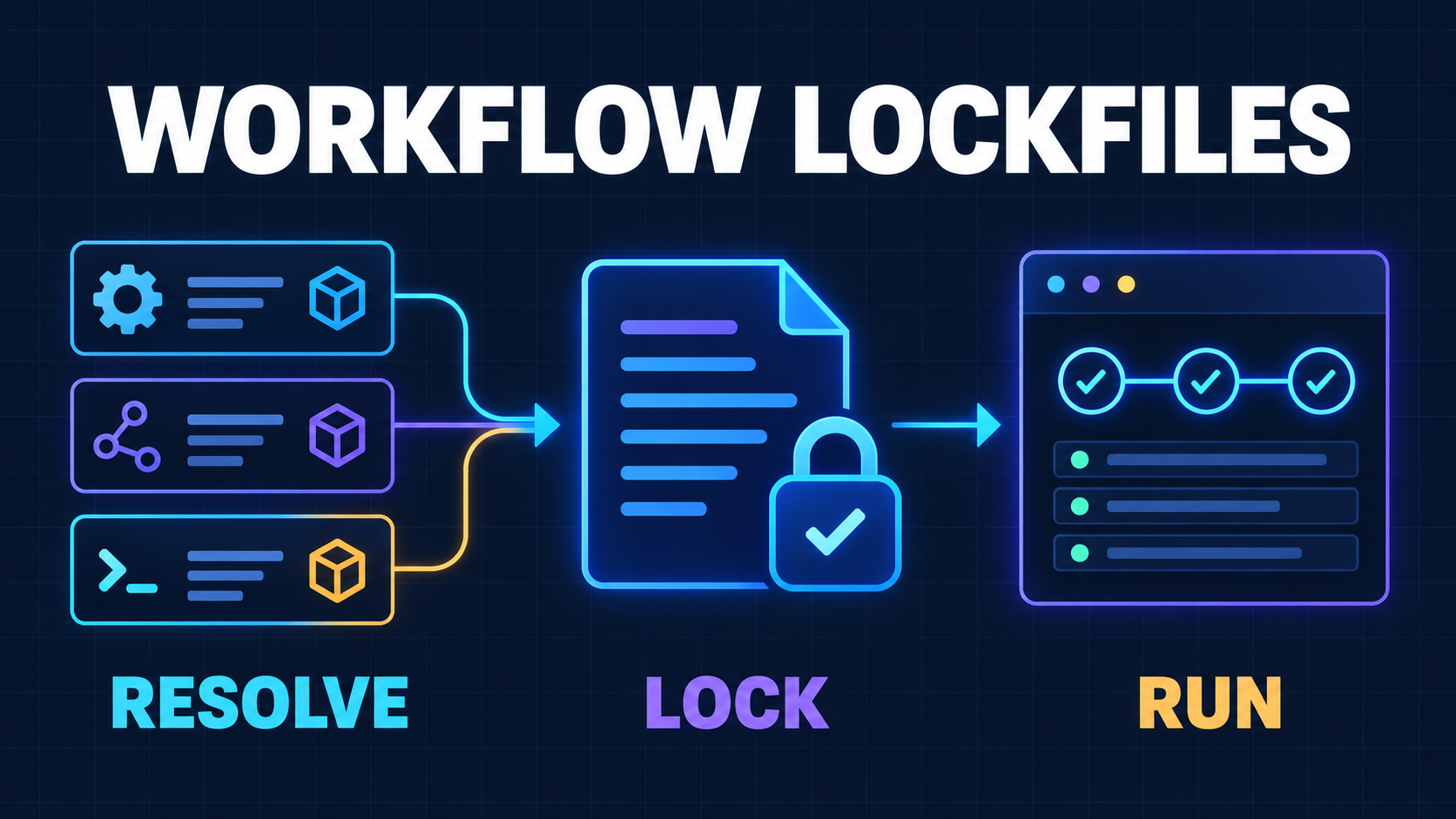
Your application dependencies have a lockfile. Until now, many GitHub Actions workflows did not.
A workflow might say uses: actions/checkout@v6 or call an internal reusable workflow by branch. Those references are readable, but they are not immutable. If a tag or branch moves after review, a later run can execute different code without any change to your repository.
That is especially important for SaaS teams because CI often holds more authority than application code. A workflow can read repository content, request tokens, upload artifacts, publish packages, run migrations, and deploy production. A moving dependency therefore sits inside a privileged execution path.
On October 14, 2026, GitHub announced GitHub Actions workflow lockfiles in public preview. The feature keeps readable tags and branches in workflow YAML while GitHub Actions executes the exact commits recorded in .github/workflows/actions.lock. It covers direct actions, transitive action dependencies, and reusable workflow references (GitHub’s public-preview announcement).
This is a useful supply-chain control. It is not a button to press across every repository without review, and it does not prove that a locked dependency is safe.
The right goal is a controlled rollout: inventory what your CI runs, lock reviewed dependencies, make updates visible, verify drift in pull requests, and keep permissions narrow if a dependency still turns malicious.
What GitHub Actions Workflow Lockfiles Actually Guarantee
A workflow lockfile separates the reference humans read from the commit the runner executes.
Your workflow can remain understandable:
steps:
  - uses: actions/checkout@v6
  - uses: acme/security-scan@v3
The generated lockfile records the resolved commit for each reference. Once that workflow is onboarded, GitHub Actions requires its dependencies to appear in the lockfile and runs the locked commits instead of resolving the tags again.
GitHub’s concept documentation says the lockfile also records numeric owner and repository IDs. The runner uses those identities to verify that the repository behind a dependency name is still the one that was locked. The result is a reviewable inventory that is stronger than recording only a visible tag (workflow dependency lockfile concepts).
In practical terms, lockfiles provide three properties:
- Reproducibility: the same workflow revision resolves to the same action commits.
- Reviewability: dependency movement appears as a lockfile change instead of happening silently at run time.
- Coverage: transitive action dependencies become part of the recorded graph, not an invisible detail inside one direct action.
That last property is the biggest improvement over manually replacing every tag with a full commit SHA. A direct action may itself call other actions. Locking only the reference in your YAML does not give you the same view of that transitive chain.
What a Lockfile Does Not Guarantee
Locking answers one narrow question: did the runner execute the dependency revision that your repository recorded?
It does not answer these other questions:
- Was that dependency trustworthy before you locked it?
- Did anyone review the source at the recorded commit?
- Does the action need every token permission or secret it can access?
- Can untrusted pull-request code influence its inputs, cache, workspace, or artifacts?
- Is the public-preview implementation stable enough for your most critical release path?
- Will an update remain compatible with your workflows and runners?
GitHub says this directly: locking does not determine whether a dependency itself is safe. The official secure-use reference still recommends auditing third-party action code, minimizing GITHUB_TOKEN permissions, protecting secrets, and treating privileged workflow triggers carefully. It now describes lockfiles as the strongest dependency-pinning option for repositories that can adopt them, while retaining full-SHA pinning as the fallback (GitHub Actions secure-use reference).
Think of the lockfile as a seal on reviewed contents. It helps you detect substitution. It does not inspect the contents for you or reduce what they can reach.
Start With a CI Dependency Inventory
Do not begin by generating a file and approving a large diff you do not understand. Begin with the workflows that carry the most authority.
For every file under .github/workflows, record:
- direct
uses:references; - reusable workflows called at the job level;
- local composite actions;
- secrets and
GITHUB_TOKENpermissions; - OIDC access through
id-token: write; - production environments and required reviewers;
- cache and artifact flow between jobs;
- self-hosted runner access;
- whether forked pull requests can start or influence the workflow.
Then classify each workflow by consequence.
Low consequence: ordinary validation
Lint, unit tests, type checks, and application builds with read-only repository access belong here. These are good candidates for the first trial because a lockfile problem should not block a production rollback.
Medium consequence: repository automation
Labeling, commenting, dependency updates, release-note generation, and artifact uploads may need write access. Review their permissions and event inputs before onboarding them.
High consequence: publishing and production
Package publication, artifact signing, cloud authentication, database migration, and deployment need the most deliberate rollout. A lockfile improves their dependency integrity, but a public-preview control should first prove itself on lower-risk workflows.
This consequence-first inventory complements the existing GitHub Actions execution policy guide. Execution policies decide who and what may start a workflow. Lockfiles decide which dependency commits that accepted workflow runs. Neither replaces the other.
Compare Lockfiles With Manual SHA Pinning
Teams that already pin actions to full commit SHAs should not treat that work as wasted. SHA pinning is still an appropriate fallback where workflow lockfiles are unavailable or unsuitable.
The trade-off looks like this:
| Control | Readable workflow refs | Direct actions | Transitive actions | Repository identity | Update workflow | | --- | --- | --- | --- | --- | --- | | Tags or branches only | Yes | Moving | Moving | Not locked | Easy but implicit | | Full SHA in YAML | Low | Pinned | Not comprehensively pinned | Reviewer must verify | Visible but noisy | | Workflow lockfile | Yes | Pinned | Pinned | Recorded and checked | Visible lockfile diff |
GitHub’s documentation says repositories that adopt a lockfile no longer need SHA references inside onboarded workflow files. It also notes a boundary that matters for shared platforms: the lockfile covers dependencies in its own repository, while dependencies inside a called reusable workflow are covered by the lockfile in the reusable workflow’s repository.
If your company maintains a central deployment workflow, onboard that repository first. Otherwise, an application repository can lock the reusable workflow revision while the shared workflow’s internal actions remain governed somewhere else.
Roll Out Lockfiles Without Breaking CI
The rollout should create small, explainable changes.
1. Confirm current references before locking them
A lockfile freezes what your workflow references resolve to now. Check that each tag, branch, action, and reusable workflow points to the version you actually want.
Do not preserve an obsolete action simply because it is already running. Review release notes, ownership, recent maintenance, and required permissions first. GitHub’s setup guide explicitly recommends validating references before generating the lockfile and onboarding shared-workflow repositories ahead of their callers (lockfile setup guide).
2. Install the official CLI extension deliberately
GitHub provides gh-actions-lock as a GitHub CLI extension:
gh extension install github/gh-actions-lock
gh actions-lock
The command scans workflows, resolves dependencies, writes .github/workflows/actions.lock, and updates workflow onboarding metadata where needed. Review the generated workflow changes and lockfile together.
The extension is pre-1.0 and under active development. Its own repository warns that format, flags, and behavior may change during the preview. It also documents current limitations, including gaps around some local-path actions (official gh-actions-lock repository).
Pin the extension version in any automation that installs it, and assign an owner to preview-related breakage. Do not let a floating CLI extension become the new moving dependency in the process meant to control moving dependencies.
3. Onboard one low-risk workflow
Choose a representative CI workflow with third-party actions but no production credentials. Generate the lockfile, inspect every new dependency, and run the workflow through its usual pull-request and default-branch paths.
Check that:
- all expected direct dependencies appear;
- transitive dependencies have recognizable owners and repositories;
- reusable workflows resolve as intended;
- local actions behave correctly;
- organization allowlists still permit the locked commits;
- the workflow succeeds on every required runner platform.
4. Add a non-writing verification check
The extension provides gh actions-lock --verify to check that the lockfile is current without modifying files. Run that command in pull requests that can change .github/workflows/** or the lockfile.
Treat a failed verification as a review event, not an instruction to regenerate blindly. The reason may be a legitimate workflow edit, but it may also be an unexpected moved reference or repository identity problem.
5. Expand by consequence
After the pilot survives routine changes, onboard normal validation workflows, then repository automation, then release and deployment workflows. Keep a documented fallback for critical production paths while the feature remains in preview.
Make Dependency Updates Reviewable
A lockfile that never changes becomes a frozen risk register.
When an action releases a legitimate update, the workflow reference and locked commit should move together in one pull request. Review that update like application dependency work:
- read the action’s release notes and diff;
- confirm the source repository identity;
- inspect new or changed transitive dependencies;
- check requested permissions and network behavior;
- run representative CI and deployment rehearsal paths;
- merge only after the lockfile diff matches the intended update.
GitHub has integrated this path with Dependabot. For an onboarded workflow, a Dependabot version-update pull request regenerates the matching lockfile entry so the readable reference and pinned commit stay synchronized without extra configuration (Dependabot updates for actions).
The site’s Dependabot cooldown guide explains how to add observation time for routine updates. Use that delay for release-note review and ecosystem signals; do not apply it to urgent security updates by habit.
For manual maintenance, the CLI distinguishes ordinary locking from intentionally resolving newer upstream commits. That distinction matters. “Update the lockfile” should always say which dependency is expected to move and why.
Keep the Blast Radius Small After Locking
Assume a reviewed, locked action can still contain a vulnerability or become dangerous when given hostile input.
Pair the lockfile with these controls:
- Set
permissions: contents: reador another minimal baseline, then widen individual jobs only as required. - Use OIDC with constrained cloud trust policies instead of reusable cloud secrets.
- Keep production credentials out of workflows that execute pull-request code.
- Protect
.github/workflows/**andactions.lockwithCODEOWNERSand required review. - Separate build and deploy workflows so an untrusted build cannot inherit deployment authority.
- Validate artifacts crossing from low-trust to privileged workflows.
- Prefer ephemeral runners; isolate persistent self-hosted runners by repository and trust level.
- Keep organization allowlists or “require lockfile” policies narrow until the pilot is stable.
This is where lockfiles fit beside the npm release-control guide. The workflow lockfile controls what CI code executes. OIDC and staged publication control which identity can publish. Human approval controls when a candidate becomes consumable.
A Practical Adoption Checklist
Inventory
- [ ] List every workflow, reusable workflow, direct action, and local action.
- [ ] Record token permissions, secrets, OIDC, runners, caches, and environments.
- [ ] Rank workflows by production consequence.
- [ ] Identify the owners of shared reusable workflows.
Pilot
- [ ] Confirm current dependency references are intended and supported.
- [ ] Install a reviewed version of the official CLI extension.
- [ ] Generate the lockfile for one low-risk workflow.
- [ ] Review direct, transitive, and repository identity entries.
- [ ] Test pull-request and default-branch runs.
Enforce
- [ ] Add
gh actions-lock --verifyto workflow-change pull requests. - [ ] Require review for workflow and lockfile changes.
- [ ] Enable Dependabot updates for GitHub Actions.
- [ ] Expand onboarding from low- to high-consequence workflows.
- [ ] Define the fallback if the public preview blocks an urgent fix.
Contain
- [ ] Reduce
GITHUB_TOKENpermissions. - [ ] Replace long-lived cloud secrets with constrained OIDC where possible.
- [ ] Separate untrusted code from privileged jobs and runners.
- [ ] Rehearse one dependency update and one rollback.
- [ ] Re-audit the dependency graph each quarter.
When Internal Work Is Enough
A small team can handle this rollout internally when its workflows are few, ownership is clear, permissions are already explicit, and production deployment is separated from pull-request validation.
Get outside help when nobody can explain the path from contributor input to production authority; when many repositories share reusable workflows; when self-hosted runners, package publication, or cloud credentials are involved; or when an urgent deploy depends on unreviewed third-party actions.
The problem in those cases is not generating actions.lock. It is discovering the actual trust boundaries before enforcing a partial model of them.
Related Reading
- GitHub Actions Execution Policies: A SaaS CI Hardening Plan
- Dependabot’s New 3-Day Cooldown: A Safer Update Policy for SaaS
- npm Release Controls: Stage, Approve, and Promote Without Tokens
Next Step
Start with one workflow that runs often but cannot deploy or publish. Inventory its dependencies and authority, generate the lockfile, review the complete dependency graph, and add a verification check. Then measure how the process handles a normal action update before expanding to production workflows.
If your CI path crosses shared workflows, self-hosted runners, cloud credentials, or package publishing, prepare a map of repositories, workflow triggers, identities, permissions, secrets, and environments. A focused production-readiness review can turn that map into an ordered hardening plan without blocking routine delivery.
Working on a SaaS that's starting to feel fragile?
Talk to an engineer about the parts that break first — without rewriting what already works. We'll recommend focused support or a compact team based on your scope.
Talk to an Engineer