
GitHub Actions Execution Policies: A SaaS CI Hardening Plan
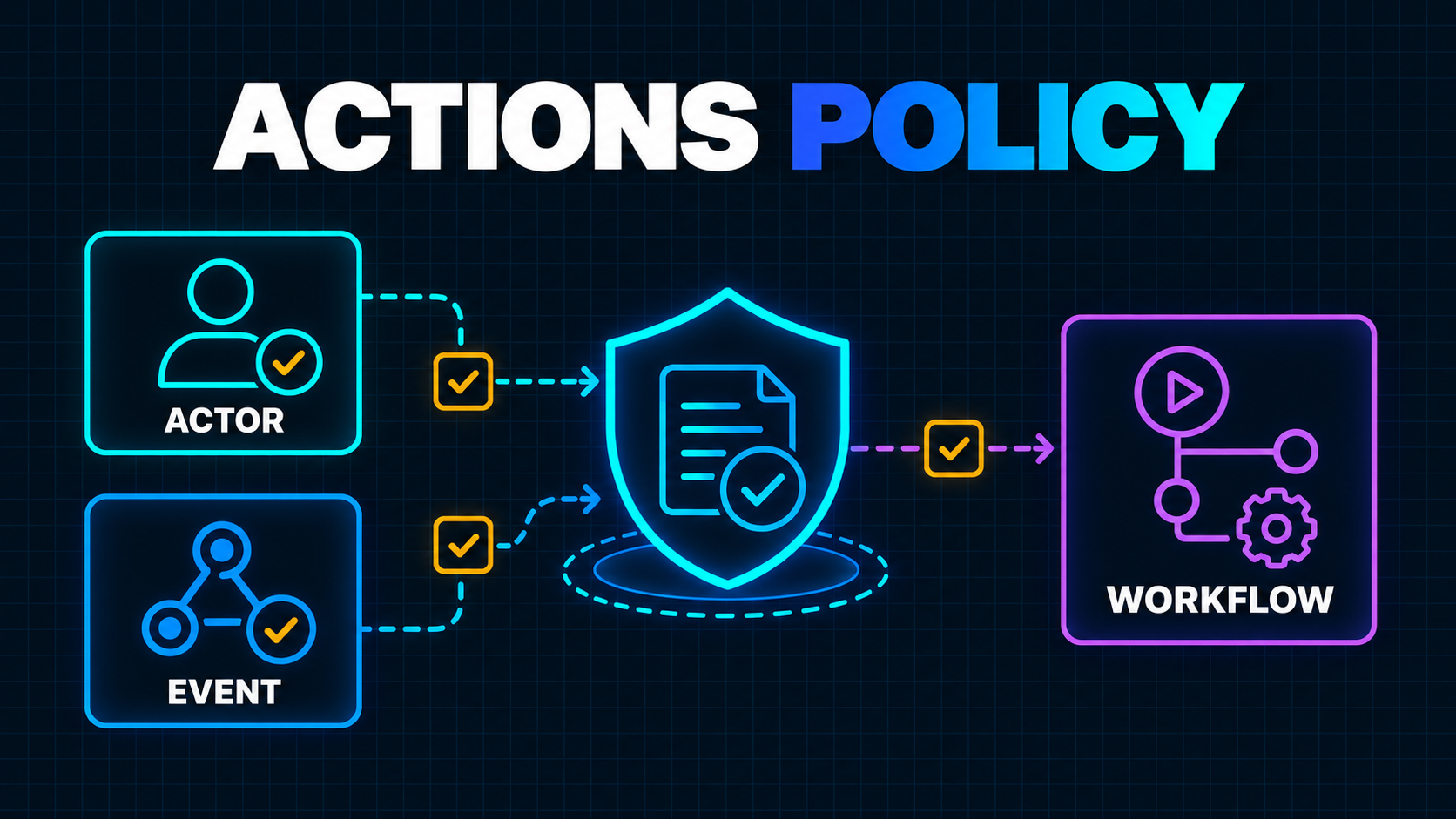
A secure workflow file can still be started by the wrong person or the wrong event.
That gap matters because CI is no longer just a test runner. A SaaS repository may use GitHub Actions to build production artifacts, request cloud credentials, publish packages, run database migrations and deploy customer-facing code. The question is therefore not only, “What does this YAML do?” It is also, “Who is allowed to make it run, and under which conditions?”
GitHub now has a control for that second question. On September 17, 2026, GitHub made workflow execution protections generally available. The feature lets administrators define actor and event allowlists that GitHub evaluates before an Actions run starts. The release also added workflow-file targeting, policy insights and a REST API for managing the controls as code. GitHub’s general availability announcement explains the new scope.
This is a meaningful supply-chain control, especially for sensitive workflows. It is not a reason to stop reviewing workflow code.
The practical goal is to build several independent boundaries:
- Decide which identities and events may start a workflow.
- Limit what the resulting job can access.
- Keep untrusted code and caches away from privileged jobs.
- Make production changes require an intentional path.
Here is how I would roll that out in a SaaS repository without turning every pull request into an infrastructure project.
What Workflow Execution Protections Actually Change
Historically, the workflow file defined most of the conditions under which it ran. If the YAML listened for workflow_dispatch, pull_request_target or another event, GitHub evaluated that configuration and started the run.
Execution protections add a policy layer outside the workflow file. An administrator can restrict:
- Actors: users, roles, teams, bots, apps or integrations allowed to trigger a run.
- Events: triggers such as
push,pull_request,pull_request_target,workflow_dispatchandworkflow_run. - Workflow paths: specific files such as
.github/workflows/deploy-production.yml.
That separation matters. A contributor who can edit a workflow should not automatically gain the authority to run a production deployment. A reusable workflow should not be able to widen the trigger policy chosen by an organization. And one permissive repository should not silently weaken a non-negotiable organization rule.
GitHub recommends layering several narrowly named policies across enterprise, organization and repository levels instead of creating one giant rule. Its configuration guide also confirms that the feature is available for public repositories and for private repositories on GitHub Team or GitHub Enterprise.
Think of the policy as a preflight gate. A denied run never reaches a runner. An allowed run still needs safe code, narrow permissions and trustworthy inputs.
Why pull_request_target Is the Immediate Audit
The urgent use case is pull_request_target.
This event is designed for trusted automation that responds to pull requests in the context of the base repository. It can be useful for labeling, commenting or triage because the workflow comes from the default branch. The danger begins when that privileged workflow checks out and executes code from an untrusted fork.
GitHub’s event reference warns that running untrusted code under pull_request_target can expose write privileges and secrets or poison a cache. GitHub’s broader secure-use guidance recommends avoiding the trigger when it is unnecessary and never combining it with execution of untrusted pull-request code.
This is not a theoretical edge case for the ecosystem. The earlier TanStack compromise analysis describes why a privileged trigger and a shared cache can turn a pull request into a release-pipeline problem.
GitHub is also introducing a default event policy for public repositories that do not already have an applicable policy. It disables pull_request_target, begins in evaluate mode and is scheduled to enforce the block on November 2, 2026 for affected repositories that remain on the default policy.
Do not wait for the enforcement date to discover what breaks. Use the window to identify every workflow that depends on the event and decide whether the dependency is legitimate.
Inventory Workflows by Consequence, Not Filename
Start with an inventory. A workflow called tests.yml may request a cloud token. A file called release.yml may only create a draft. Names are useful hints, not security boundaries.
For every file under .github/workflows, record:
- Its trigger events
- Whether forked pull requests can reach it
- Whether it checks out pull-request code
- Its
GITHUB_TOKENpermissions - Every repository, organization and environment secret it can read
- Whether it requests an OIDC credential
- Its cache read and write behavior
- Whether it uses a self-hosted runner
- The production effect of a successful run
A quick first pass can find the highest-risk triggers:
grep -RniE "pull_request_target|workflow_run|workflow_dispatch|issue_comment" .github/workflows
grep -RniE "permissions:|id-token:|secrets:|environment:|runs-on:" .github/workflows
Then classify each workflow into one of four consequence levels:
Level 1: unprivileged validation
Linting, unit tests and builds that use no secrets, no write token and no persistent self-hosted runner belong here. They should usually run on pull_request with read-only access.
Level 2: repository automation
Labeling, issue management and pull-request comments may need limited write access. These workflows should operate on event metadata, not execute contributor-controlled code.
Level 3: artifact and package release
Anything that signs, publishes or uploads an artifact belongs here. Restrict both actors and events, and keep its inputs separate from untrusted caches.
Level 4: production change
Deployments, migrations, infrastructure changes and secret rotation need the narrowest policy. A protected environment approval is still useful, but it is a later gate. Execution policy prevents an unwanted run from starting in the first place.
This consequence model also helps when you review a vibe-coded or inherited product. The MVP security audit guide covers the surrounding application risks; the workflow inventory covers how changes reach production.
Design Small Policies Around Trust Boundaries
Avoid a single rule that treats all Actions workflows alike. CI and production deployment have different jobs.
A practical policy set could look like this:
Policy 1: normal pull-request validation
- Target test and build workflows.
- Allow the
pull_requestevent. - Allow expected contributors and automation identities.
- Keep token permissions read-only.
- Do not expose production secrets.
Policy 2: trusted repository maintenance
- Target label, triage and issue workflows.
- Allow only the events each workflow genuinely consumes.
- Permit GitHub Apps or bots only when the workflow expects them.
- Do not check out or run pull-request code.
Policy 3: release and deployment
- Target explicit release and deployment workflow paths.
- Allow
pushfrom the protected release branch or intentionalworkflow_dispatchuse. - Restrict manual triggers to a maintainer team.
- Retain environment approval, OIDC subject restrictions and least-privilege cloud roles.
Policy 4: exceptional privileged pull-request automation
- Target only the workflow that still requires
pull_request_target. - Allow only the smallest actor and event set.
- Prohibit execution of fork code.
- Document an owner and removal condition.
Workflow-file targeting is important here. You can protect deploy-production.yml without forcing the same actor list onto ci.yml. That makes the policy easier to explain, test and maintain.
If you have GitHub Enterprise Cloud, start in evaluate mode. Policy insights show which runs would have been blocked without interrupting delivery. On other eligible plans, test active rules on a low-risk repository or a narrow workflow target before expanding them.
Pair Trigger Policy With Cache Isolation
Stopping an unapproved run is valuable. It does not make every approved run trustworthy.
Caches deserve separate attention because data written in a low-trust context may be restored later by a privileged workflow. GitHub added a cache-mode key that can enforce read, write, write-only or none access at workflow or job level. Low-trust triggers default to read-only access, while trusted triggers default to read/write. The dependency caching reference explains the defaults and warns that explicitly granting write access to a low-trust trigger can reintroduce cache-poisoning risk.
Make the intended boundary visible:
name: Pull request checks

on:
  pull_request:

permissions:
  contents: read

cache-mode: read

jobs:
  test:
    runs-on: ubuntu-latest
    steps:
      - uses: actions/checkout@<full-commit-sha>
      - run: npm ci
      - run: npm test
For a release job, consider cache-mode: none unless you can prove that the restored entries are produced only by an equally trusted path. Faster builds are not worth crossing a trust boundary you cannot explain.
The same layered thinking applies to routine dependency changes. Dependabot cooldowns can delay ordinary updates, while execution and cache policies govern what CI is allowed to do with them.
Controls the New Policy Does Not Replace
Execution protection answers “may this actor and event start this workflow?” It does not answer every other security question.
Keep these controls in place:
- Set top-level
permissions: read-allor a smaller explicit permission set, then widen only the jobs that need it. - Pin third-party actions to full commit SHAs.
- Use short-lived OIDC credentials with repository, branch, environment and workflow claims restricted at the cloud provider.
- Require protected environments for production.
- Treat self-hosted runners as persistent infrastructure, not disposable sandboxes.
- Separate untrusted build work from privileged publish or deploy work.
- Review artifacts passed through
workflow_runas untrusted inputs until validated. - Keep secrets out of jobs that compile or test contributor-controlled code.
This is defense in depth. A policy mistake should meet a safe workflow. A workflow mistake should meet a narrow token. A stolen token should meet a restricted cloud role.
A Two-Hour Rollout Plan
1. Inventory the workflows
- [ ] List every workflow path and trigger.
- [ ] Flag
pull_request_target,workflow_run,workflow_dispatchandissue_comment. - [ ] Record secrets, OIDC, write permissions, caches and runner types.
- [ ] Assign a consequence level and an owner.
2. Remove unnecessary privileged triggers
- [ ] Move ordinary fork testing to
pull_request. - [ ] Keep metadata-only automation separate from code execution.
- [ ] Delete obsolete manual and scheduled entry points.
3. Create narrow execution policies
- [ ] Target production and release workflow files explicitly.
- [ ] Allow only required actors and events.
- [ ] Include expected bots such as Dependabot only where needed.
- [ ] Name each policy after the boundary it enforces.
4. Observe before broad enforcement
- [ ] Use evaluate mode and policy insights on Enterprise Cloud.
- [ ] Otherwise, enforce on one low-risk repository or workflow first.
- [ ] Investigate every would-be denial instead of blindly allowlisting it.
5. Close adjacent gaps
- [ ] Declare
cache-modefor low-trust and privileged jobs. - [ ] Reduce
GITHUB_TOKENpermissions. - [ ] Pin actions to full SHAs.
- [ ] Review environment approvals and OIDC trust conditions.
6. Prove the policy works
- [ ] Open a test pull request from a fork.
- [ ] Attempt a manual run as an unauthorized actor.
- [ ] Confirm denied runs never reach a runner.
- [ ] Confirm approved CI, bot and deployment paths still work.
- [ ] Add the policy review to quarterly production-readiness checks.
At organization scale, the new Actions policies REST API can create, inspect and update policies programmatically, including workflow-path conditions. Store the desired policy alongside your platform configuration, but do not automate enforcement until the inventory and evaluation results are understood.
The Founder-Level Decision
Founders do not need to administer every CI rule. They do need a clear answer to a business-critical question:
Can someone who is allowed to contribute code also cause that code to run with release or production authority?
If the answer is “possibly,” workflow execution protection should move into the current hardening cycle. Start with deploy, publish and privileged pull-request workflows. Measure the effect. Then widen the boundary.
The September release gives SaaS teams a useful control that did not previously exist at this layer. Use it to make trigger authority explicit—but keep the workflow, token, cache, artifact and runner controls behind it.
If the inventory reveals that nobody can confidently explain the path from pull request to production, a focused production readiness review is the right next step. The goal is not more YAML. It is a release path whose authority and failure modes your team can defend.
Working on a SaaS that's starting to feel fragile?
Talk to an engineer about the parts that break first — without rewriting what already works. We'll recommend focused support or a compact team based on your scope.
Talk to an Engineer