
TanStack Was Compromised Yesterday. Here's What SaaS Teams Need to Do Right Now.
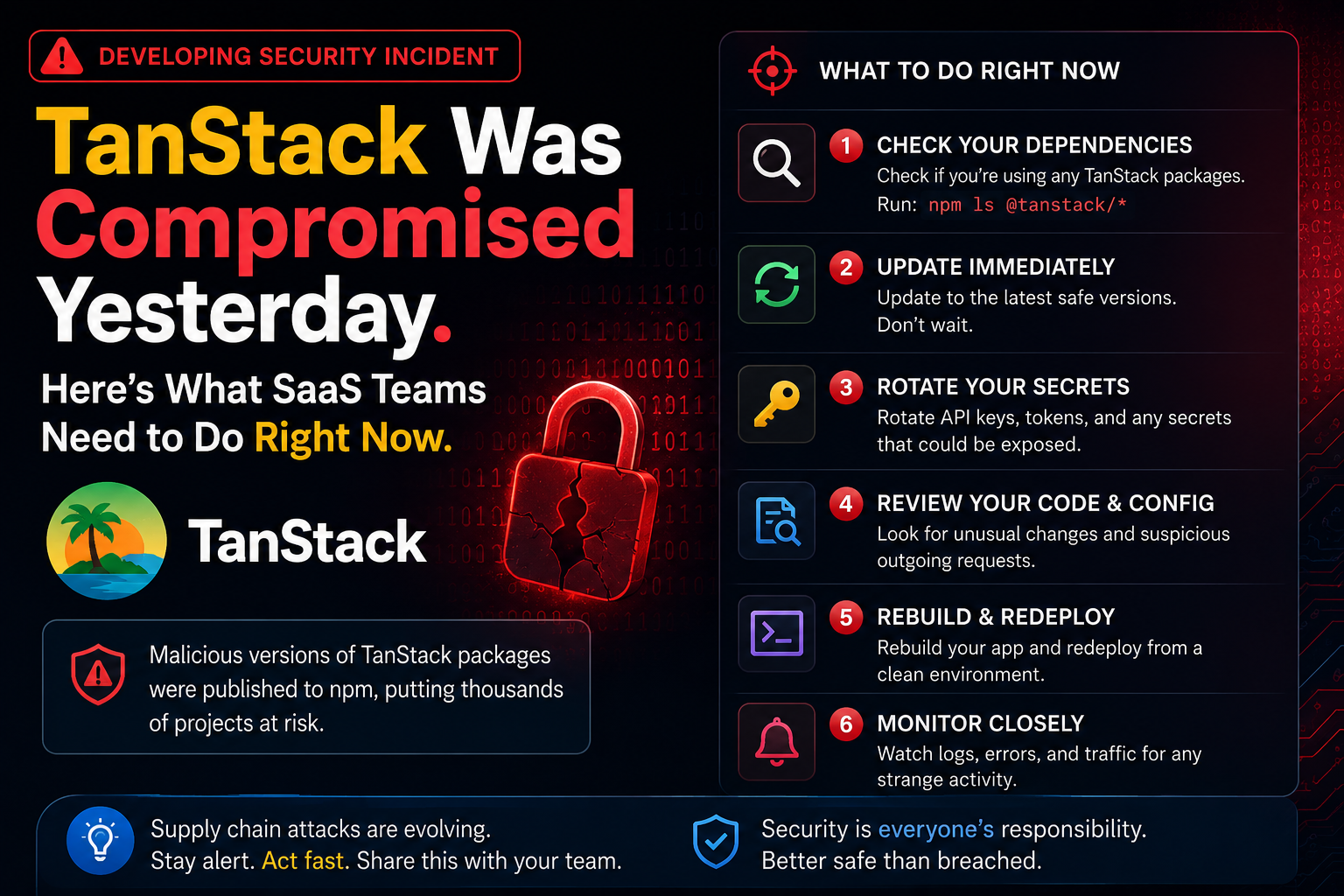
This is the third post in a series I did not plan to write.
In April I covered the npm supply chain wave that hit pgserve, Bitwarden CLI, and Axios. A week later I covered Shai-Hulud 2.0 hitting SAP and Intercom packages and introduced the preinstall hook attack pattern.
Yesterday, May 11, 2026, the same group — TeamPCP — hit TanStack.
This one is different. Not because it is bigger (though it is), but because it broke through defenses that were supposed to be enough.
TanStack had 2FA. They had OIDC trusted publishing. They had Sigstore provenance attestations on every release. Every one of those was bypassed — not by stealing credentials, but by weaponizing TanStack's own legitimate release pipeline against itself.
The result: 84 malicious package versions across 42 packages in the @tanstack namespace, published between 19:20 and 19:26 UTC on May 11. With valid SLSA Build Level 3 provenance. Affecting packages with over 12 million weekly downloads.
If your SaaS uses TanStack Router, TanStack Query, or any @tanstack/* package and you ran npm install yesterday, read this before you do anything else.
84 malicious artifacts across 42 @tanstack packages. CVE-2026-45321. CVSS 9.6. Confirmed active on May 11 between 19:20–19:26 UTC.
First documented supply chain attack with valid SLSA Build Level 3 provenance. The attestations are technically correct. The packages are malicious.
No npm credentials were stolen. The attack published through TanStack's own legitimate OIDC identity using their own release pipeline.
What Actually Happened
Three vulnerabilities were chained. None alone is enough. Together they gave the attacker full publish access to TanStack's npm packages without ever touching a credential.
Step 1: The Pwn Request
The attacker created a fork of the TanStack/router repository, renaming it zblgg/configuration to avoid appearing in fork-list searches. They authored a malicious commit under the fabricated identity claude <claude@users.noreply.github.com> — impersonating the Anthropic Claude GitHub App — prefixed with [skip ci] to suppress automated CI on push.
They then opened a pull request against the main TanStack repo. This triggered a workflow with on: pull_request_target — a GitHub Actions event that runs in the context of the base repository, not the fork. That distinction is everything.
pull_request_target gives the workflow access to repository secrets and OIDC tokens, even when the code being run came from a fork. GitHub's own security team documented this as a known dangerous pattern in 2024. It was still in TanStack's workflow.
Step 2: Cache Poisoning
The pull_request_target workflow checked out the fork's code and ran a build step. That build step poisoned the GitHub Actions cache — specifically the pnpm store — with attacker-controlled binaries.
Because GitHub Actions caches are shared across the fork and base repository trust boundary, the poisoned cache was now available to future legitimate workflow runs on main.
Step 3: OIDC Token Extraction
When a legitimate TanStack maintainer later merged a PR to main, the release workflow ran. It restored the poisoned cache. The attacker's binaries were now executing in the context of a legitimate release workflow run — with access to the OIDC token that grants publish permission to npm.
The binaries read that OIDC token directly from the GitHub Actions runner's process memory at /proc/<pid>/mem. The attacker then used that token to publish 84 malicious package versions to npm in six minutes.
From npm's perspective, these were legitimate packages. Published by TanStack's official release workflow. From TanStack's own repository. On refs/heads/main. The SLSA provenance attestations generated by Sigstore correctly attest all of this — because all of it is technically true.
SLSA provenance attests that a package was built by a specific repository's workflow. It does not attest that the workflow was authorized to run that code, that the commit triggering it was legitimate, or that the cache it restored was clean. Valid provenance on a malicious package is now a documented real-world outcome — not a theoretical one.
What the Payload Does
The malicious versions contain an obfuscated file called router_init.js. On install, it:
Profiles the environment — OS, architecture, cloud provider metadata endpoints, existing credentials.
Harvests credentials from the install host: AWS credentials, GCP service account tokens, GitHub tokens, npm tokens, SSH keys, Kubernetes configs, Vault tokens, and secrets from AI tools and messaging apps.
Exfiltrates through three redundant channels — a typosquatted domain (git-tanstack.com), the Session decentralised messenger network, and GitHub API dead drops using stolen tokens.
Installs a persistent daemon — gh-token-monitor — as a macOS LaunchAgent or Linux systemd unit. This daemon polls GitHub every 60 seconds. If your token gets revoked, it runs rm -rf ~/. A complete disk wipe. The daemon auto-exits after 24 hours if it hasn't triggered.
Self-propagates — using stolen npm and GitHub tokens, it publishes malicious versions of other packages the compromised developer or CI runner has write access to. This is how Mistral AI, UiPath, OpenSearch, and Guardrails AI were hit in the same wave.
Which Packages Are Affected and Which Are Clean
The GitHub advisory (GHSA-g7cv-rxg3-hmpx) has the full list. For SaaS teams using TanStack, the important split:
Confirmed affected — treat any May 11 install as compromised:
@tanstack/react-router@tanstack/router@tanstack/router-devtools@tanstack/router-cli@tanstack/start- And 37 other packages in the
@tanstacknamespace — full list in GHSA-g7cv-rxg3-hmpx
Confirmed clean — these families were NOT affected:
@tanstack/query-*(react-query, vue-query, etc.)@tanstack/table@tanstack/form@tanstack/virtual@tanstack/store
If your SaaS uses TanStack Query only — and you never touch @tanstack/router — you are not directly affected by this specific incident. You may still be affected transitively if a dependency you use was compromised in the broader wave (Mistral AI, UiPath, Guardrails AI are also hit).
If You Ran npm install on May 11
GitHub's advisory is clear: any developer or CI environment that ran npm install, pnpm install, or yarn install against an affected version on May 11, 2026 should be considered compromised.
Do these steps immediately, before anything else:
1. Check your install logs
Did any CI job or local install on May 11 pull a @tanstack/* package? Your package-lock.json or lockfile timestamps will show this. CI logs will show the exact versions installed.
The affected window is narrow — 19:20 to 19:26 UTC on May 11. But if your CI runs on a schedule, check whether any job started during or after that window and pulled these packages.
2. Rotate every credential reachable from the install host
This applies to both developer machines and CI runners. Rotate:
- AWS access keys and session tokens
- GCP service account credentials
- GitHub personal access tokens
- npm tokens
- SSH keys
- Kubernetes configs
- Any Vault or secret manager tokens
- API keys for AI tools, Stripe, and anything else with write access
Do not wait. Do not try to determine whether the specific host was actually compromised first. Rotate credentials, then investigate. A compromised credential discovered after rotation is an incident you recovered from. One discovered before rotation is an active breach.
3. Check for the persistence daemon
On Linux:
systemctl list-units | grep gh-token
ls ~/.config/systemd/user/ | grep gh-token
On macOS:
ls ~/Library/LaunchAgents/ | grep gh-token
launchctl list | grep gh-token
If you find gh-token-monitor in either location, the install ran the payload. Treat the machine as fully compromised. Do not just remove the daemon — rebuild the machine or run from a snapshot taken before May 11.
4. Block the C2 domains at your DNS or proxy level
git-tanstack.com
*.getsession.org
filev2.getsession.org
Even if you're not sure whether a host was affected, blocking these prevents any active exfiltration from completing.
The incident was detected by an independent researcher within 20 minutes and TanStack's response was fast — all affected versions are deprecated and npm is pulling tarballs. If you installed after May 12, you are not affected by this specific incident. The risk window was May 11 only.
Why the Previous Advice Is No Longer Sufficient
In the April post, I said teams should move to OIDC trusted publishing and away from long-lived tokens. That advice is still correct — but this incident shows it is not complete.
TanStack had OIDC trusted publishing. The attack used it.
The gap is not in the publishing step itself. The gap is in the GitHub Actions workflow that triggers publishing. Specifically:
pull_request_target workflows that check out fork code are the root cause. This is a documented known-bad pattern. GitHub's own security team wrote about it in 2024. It is still in thousands of CI configurations because it works fine until the day it doesn't.
Floating action version refs compound the risk. TanStack's workflow used actions/checkout@v6.0.2 and similar floating tags. An attacker who compromises any of those upstream actions can inject into any workflow that depends on them. Pinning to commit SHAs eliminates this class of risk entirely.
GitHub Actions cache is a trust boundary crossing point. Caches shared between fork and base contexts allow fork-controlled code to influence base repository builds. The fix is to disable the cache in release workflows entirely — or scope it so fork builds cannot write to caches that release workflows read.
What to Change in Your CI This Week
Even if you were not affected by the TanStack incident, your GitHub Actions workflows may have the same vulnerabilities. Here is the practical checklist:
Audit every pull_request_target workflow
Search your repository for pull_request_target:
grep -r "pull_request_target" .github/
For every match, check whether the workflow checks out fork code (ref: refs/pull/${{ github.event.pull_request.number }}/merge or similar) and then runs anything that could influence builds or publish steps. If it does, this is the pattern that got TanStack.
The fix is to separate the fork-running workflow from any step that has access to secrets or publish tokens. GitHub's official guidance: run untrusted code in a workflow triggered by pull_request (not pull_request_target) and pass the safe outputs to a second workflow triggered by workflow_run.
Pin every GitHub Action to a commit SHA
Replace floating version tags:
# Before — vulnerable to upstream action compromise
- uses: actions/checkout@v6.0.2
- uses: actions/setup-node@v4

# After — pinned to exact commit
- uses: actions/checkout@11bd71901bbe5b1630ceea73d27597364c9af683  # v4.2.2
- uses: actions/setup-node@49933ea5288caeca8642d1e84afbd3f7d6820020  # v4.4.0
Use a tool like pin-github-action to do this across your whole org automatically.
Disable the cache in release workflows
The cache is how the attacker poisoned TanStack's build. For your release and publish workflows specifically, disable caching:
jobs:
  release:
    runs-on: ubuntu-latest
    steps:
      - uses: actions/checkout@<sha>
      - uses: actions/setup-node@<sha>
        with:
          node-version: '20'
          # No cache: 'npm' here
      - run: npm ci --ignore-scripts
This makes builds slightly slower. It means a poisoned cache from a fork PR cannot influence what gets published.
Add branch pinning to your trusted publisher config
If your npm package uses trusted publishing, add branch and workflow pinning:
# In your trusted publisher config on npmjs.com
Trusted publisher:
  Repository: your-org/your-repo
  Workflow: .github/workflows/release.yml
  Branch: refs/heads/main  # ← add this
Without the branch pin, a pull_request_target workflow running from a fork can still claim the OIDC token for your package. With the branch pin, only workflows running on refs/heads/main can publish.
TanStack's hardening post says it directly: "The workflow shape that got exploited had been quietly working for a long time, and the parts of our security posture we actively thought about — OIDC, lockfiles, 2FA, signed commits — were the parts we'd already invested in. CI was the part we hadn't." That is the honest summary of where most teams are right now.
The Bigger Pattern
This is the fifth wave from TeamPCP in eight months. Each one is more sophisticated than the last.
The April pgserve and Bitwarden attacks used stolen credentials and postinstall hooks. The SAP and Intercom wave shifted to preinstall hooks and the Bun runtime to evade detection. The TanStack wave needs no stolen credentials at all — it weaponizes legitimate CI infrastructure and produces valid provenance on malicious packages.
The direction of travel is clear: attackers are moving up the supply chain from packages to pipelines. The next wave will probably target a CI action or a build tool rather than a specific package namespace. The packages are just the delivery mechanism; the CI pipeline is the actual attack surface.
For SaaS teams, this means supply-chain security is no longer a one-time audit. It is ongoing maintenance: auditing workflows, rotating credentials on schedule, watching for new advisory patterns, and treating CI configuration as a first-class security artifact — not a convenience file that was set up once and forgotten.
If your product launched in the last year and the CI and workflow layer is on the "we'll get to it later" list, this week is the moment to move it. Not because of TanStack specifically, but because the meta-pattern is compressing. The window between attack waves is now weeks, not months.
The Shai-Hulud 2.0 post from last week covers the preinstall and Bun runtime vectors that are still active alongside this new CI-based attack. Both are worth reading together with this one.
FAQ
Am I affected if I use @tanstack/react-query but not @tanstack/router?
The affected families confirmed by TanStack's advisory are the router-related packages. @tanstack/query-*, @tanstack/table, @tanstack/form, @tanstack/virtual, and @tanstack/store are confirmed clean for this specific incident. Check the full advisory (GHSA-g7cv-rxg3-hmpx) for the complete affected package list.
The attack happened in a 6-minute window. How likely is it that my CI actually hit it?
It depends on how often your CI runs and whether it installs fresh. If your CI caches node_modules and didn't run a fresh install on May 11, you were likely not affected. If you run fresh installs on every job (common on Vercel, GitHub Actions, and most CI platforms), and those jobs ran during or after 19:20 UTC on May 11, check your install logs for the affected packages.
The SLSA provenance on the bad packages is valid. Does this mean SLSA is broken?
No — but it means the threat model for SLSA needs to be understood clearly. SLSA provenance attests that a package was built by a specific repository's workflow on a specific branch. It does not attest that the workflow ran authorized code, that its cache was clean, or that a fork PR didn't influence the build. SLSA is still valuable for detecting non-build-time tampering (modified tarballs, man-in-the-middle on download). It does not protect against attacker-controlled code running inside a legitimate workflow.
Can I use TanStack packages safely now?
Yes — as of May 12, all affected versions have been deprecated, new clean versions have been published, and npm is pulling the malicious tarballs. If you update to the latest versions published after May 12, you are using clean packages. The risk was specific to the 6-minute window on May 11.
Final Thoughts
TanStack handled this well. Their postmortem is one of the most honest and detailed incident write-ups I have seen from an open-source project. They are changing their CI workflows, pinning their actions, and publishing the specifics so other maintainers can audit their own setups. That kind of transparency is how the ecosystem gets better.
The harder lesson is for teams consuming open source packages: the trust chain you rely on extends through every workflow in every dependency. A package from a maintainer you trust, published through a CI pipeline that has a pull_request_target misconfiguration, can carry valid provenance and still be malicious.
The defenses that matter now are not about packages — they are about pipelines:
- Audit
pull_request_targetin your own workflows - Pin actions to commit SHAs
- Disable cache in release workflows
- Add branch pinning to your trusted publisher config
- Rotate credentials when you're not sure, not only when you're certain
If this week's audit reveals that your CI configuration needs real cleanup — auth, credential scope, workflow hardening, the parts that never make it onto the product roadmap — that is exactly the work covered by Production Readiness Upgrade. If you want to talk through where the gaps are first, book a 20-minute strategy call.
Working on a SaaS that's starting to feel fragile?
Talk to an engineer about the parts that break first — without rewriting what already works. We'll recommend focused support or a compact team based on your scope.
Talk to an Engineer