
Vibe Coding is Creating a Security Nightmare Nobody is Talking About
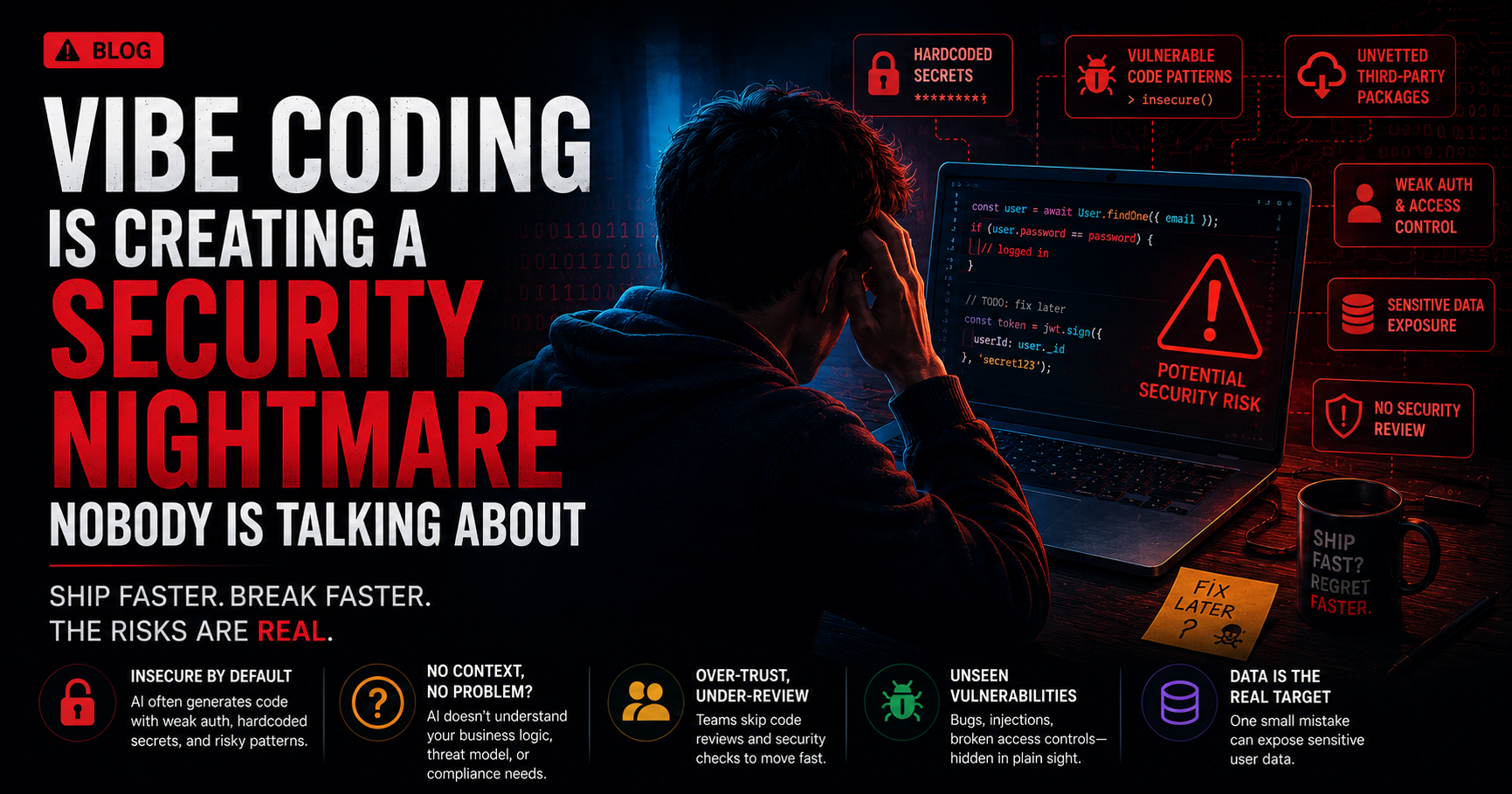
Everyone's talking about how fast vibe coding is. Nobody's talking about what it's shipping into production.
I use Cursor and Claude daily. I'm not anti-AI. But I've been watching the data on AI-generated code security for the past few months and the numbers are not good.
Here's what's actually happening — and what to do about it.
The Numbers First
Let's start with the data because the vibes are genuinely off here.
45% of AI-generated code contains known security vulnerabilities. Not theoretical edge cases. Real vulnerabilities — injection flaws, broken authentication, insecure dependencies.
AI-generated code is 2.74x more likely to have security vulnerabilities compared to human-written code, according to an analysis of 470 GitHub pull requests from late 2025.
35 new CVEs disclosed in March 2026 were directly caused by AI-generated code. These weren't vulnerabilities in AI tools — they were vulnerabilities in code that AI tools wrote.
And the one that should make every engineering manager nervous: companies using AI coding tools saw monthly security findings jump from 1,000 to over 10,000 — a tenfold increase in six months — even as developers were shipping 3-4x more code.
Speed went up. Security went down. By a lot.
What's Actually Going Wrong
The problem isn't that AI writes malicious code. It doesn't.
The problem is more subtle and more dangerous: AI writes code that looks finished but isn't defensive.
Here's what I mean. When you write code manually, you think through failure modes. What happens if this input is null? What if this API call fails? What if this user is malicious? You build those checks in because you're thinking through the problem.
AI generates code that satisfies the happy path beautifully. The thing works. Tests pass. It compiles. But the edge cases — the attacker who sends a crafted payload, the user who inputs something unexpected, the dependency that has a known CVE — those get missed.
The three patterns security researchers keep finding in AI-generated code:
Improper input validation — the AI assumes inputs are what you described in your prompt. Real users don't follow your prompt.
Over-permissive IAM roles — when asked to make something work, AI grants broad permissions because that's the path of least resistance. "Read access to S3" becomes "full access to S3" because it's simpler.
Hardcoded credentials — AI has seen millions of code examples with API keys in strings. It replicates what it's seen. Your API key ends up in the code, then in git, then somewhere it shouldn't be.
The Real Problem: You Stop Checking
Here's the thing that nobody admits but the data shows clearly.
63% of developers have spent more time debugging AI code than writing it manually would have taken.
But that's not the worst part. The worst part is what happens before the debugging.
When AI generates a block of code and it looks clean, well-structured, and passes your tests — you review it differently than you'd review code from a junior dev. You're less suspicious. You skip steps. The code looks professional so you treat it as professional.
This is what one senior engineer called it after finding serious flaws in Cursor's auto-edit mode:
"The AI builds for now, not for later. It has no stake in the maintainability of what it generates."
He's right. And security is part of maintainability.
40% of junior developers admit to deploying AI-generated code they don't fully understand. That's not a junior problem. That's a culture problem that starts at the top when senior devs normalise accepting AI output without scrutiny.
The Tools Themselves Have Vulnerabilities
This part surprised me.
In February 2026, security researchers found critical vulnerabilities in VS Code, Cursor, and Windsurf — the AI coding tools themselves — where unpatched flaws could allow attackers to exfiltrate data or execute remote code on your machine.
Then in March 2026, a critical command injection vulnerability was found in OpenAI's Codex cloud environment that exposed GitHub credentials.
So it's not just the code these tools write. The tools themselves are attack surfaces. Your coding environment is connected to the internet, has access to your file system, reads your .env files, and calls external APIs. That's a significant attack surface.
What to Actually Do About It
I'm not going to tell you to stop using AI tools. That ship has sailed and the productivity gains are real. But here's how to use them without quietly building a security disaster.
1. Never let AI touch these components unsupervised
Authentication modules, payment processing, and infrastructure scripts. These are the three areas where a single vulnerability causes maximum damage. Write these yourself or review AI output line by line — not a skim, an actual review.
// ❌ Don't let AI write this and merge without deep review
async function validateToken(token) {
  // AI might implement this incorrectly in ways that look correct
  const decoded = jwt.verify(token, process.env.JWT_SECRET);
  return decoded;
}

// ✅ Write critical auth logic yourself and understand every line
async function validateToken(token) {
  try {
    const decoded = jwt.verify(token, process.env.JWT_SECRET, {
      algorithms: ["HS256"], // Explicitly specify allowed algorithms
      issuer: process.env.JWT_ISSUER,
      audience: process.env.JWT_AUDIENCE,
    });
    return { valid: true, payload: decoded };
  } catch (error) {
    return { valid: false, error: error.message };
  }
}
2. Treat AI-generated code like junior dev code in review
The same scrutiny you apply to a junior dev's PR — apply it to AI output. Check input validation. Check error handling. Check what permissions are being requested. Check for hardcoded values.
# Add to your pre-commit hooks — catches the obvious stuff
npx secretlint "**/*"
npx semgrep --config=auto src/

# Or as part of CI
npm run security-audit
3. Audit dependencies AI introduces
When AI generates code, it often imports libraries. Some of those libraries:
- Haven't been maintained in 2 years
- Have known CVEs
- Are popular names with a typosquatted malicious version
# Run after every AI-assisted coding session
npm audit
npx better-npm-audit
npx audit-ci --moderate
4. Set explicit security constraints in your prompts
This one is underused. When you prompt AI to generate code, include security requirements explicitly:
// Instead of:
"Create an API endpoint that handles user login"

// Use:
"Create an Express API endpoint for user login. Requirements:
- Validate and sanitize all inputs with express-validator
- Use bcrypt for password comparison (never plain text)
- Implement rate limiting (max 5 attempts per 15 minutes)
- Return generic error messages (don't reveal whether email or password was wrong)
- Log failed attempts without logging the password
- Use parameterised queries only"
Explicit constraints = better output. The AI is as good as your instructions.
5. Prototype vs production rule
Draw a hard line. AI-generated code in prototypes and MVPs — fine, move fast. AI-generated code going into payment processing, user data storage, or auth in production — mandatory security review before merge.
This isn't about slowing down. It's about being deliberate about where speed matters and where security matters more.
The Bigger Picture
Vibe coding isn't going away. The $4.7 billion market, 92% developer adoption, and tools getting better every month — this is the new reality.
But there's a gap between what the tools promise and what ships to production. And right now that gap is being filled with vulnerabilities, hardcoded secrets, and code that nobody on the team fully understands.
The developers who win in this environment aren't the ones who generate the most code. They're the ones who generate code fast and know where to slow down, review carefully, and take ownership of what they ship.
That's still a human skill. Probably the most important one we have right now.
TL;DR
- 45% of AI-generated code has known vulnerabilities
- AI code is 2.74x more likely to have security issues than human code
- The tools themselves (Cursor, Windsurf) have had critical vulnerabilities
- Never let AI write auth or payment code unsupervised
- Treat AI output like junior dev output in code review
- Set explicit security requirements in your prompts
Use the tools. Don't trust them blindly.
Building with AI tools every day as a 5yr MERN dev. Follow @codewithsom on Instagram for more honest takes on AI in real development workflows.
Working on a SaaS that's starting to feel fragile?
Talk to an engineer about the parts that break first — without rewriting what already works. We'll recommend focused support or a compact team based on your scope.
Talk to an Engineer