Supabase Declarative Schemas 2.0: A Safe Migration Workflow
Database changes are one of the easiest parts of a SaaS product to make casually and one of the hardest to reverse after customers depend on them.
A developer adds a column in a dashboard, adjusts a row-level security policy in the SQL editor, or edits a view to unblock a feature. The application works. Weeks later, nobody can reproduce the production schema from Git, a preview environment behaves differently, and the next migration fails because history no longer matches reality.
Supabase released Declarative Schemas 2.0 on October 2 and published its detailed pg-delta announcement on October 13, 2026. The new workflow keeps the desired Postgres schema in SQL files, generates versioned migrations from those files, and uses a catalog-aware diff engine with broader coverage than the legacy migra path.
That is a meaningful improvement, especially for policies, grants, views, partitions and extension-managed objects. It is not permission to stop reviewing migrations. pg-delta is still alpha, and a correct description of the difference between two schemas may still be unsafe to run against live customer data.
The practical decision is therefore not whether generated migrations are “better than SQL.” It is how to make the declarative schema, generated migration, review process and deployed database agree.
What Supabase Declarative Schemas 2.0 Changes
An imperative migration describes the operation to perform:
alter table public.accounts
  add column billing_email text;
A declarative schema describes the state the database should have:
create table public.accounts (
  id uuid primary key,
  name text not null,
  billing_email text
);
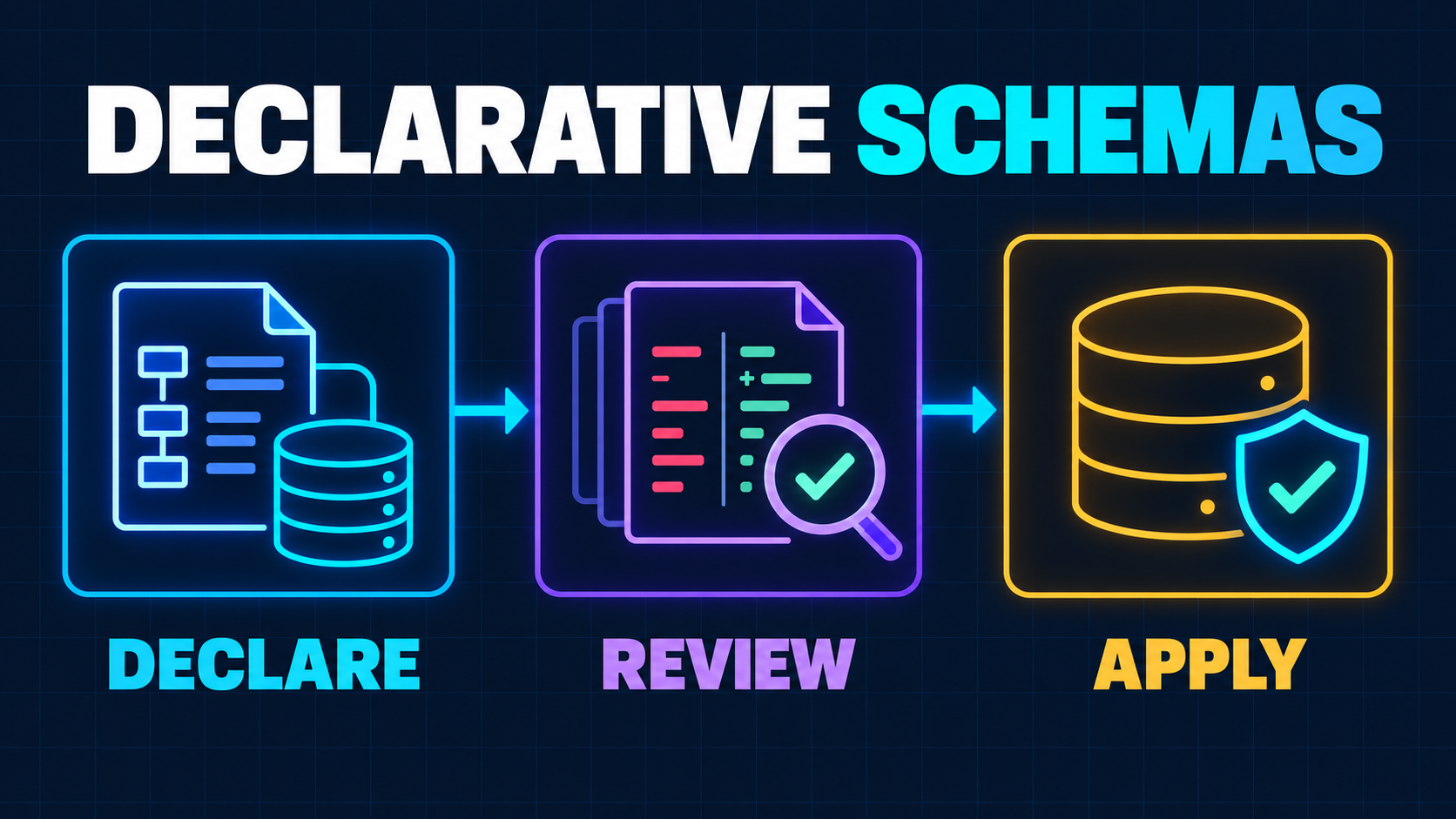
With Declarative Schemas 2.0, the files under supabase/schemas/ are the desired state. The CLI loads them into one temporary Postgres database, replays migration history into another, compares their system catalogs, and writes the difference as a normal SQL migration under supabase/migrations/.
That distinction matters. Application developers review a concise change to the current table, function or policy definition. Operations still receives an ordered, append-only migration that can be tested and deployed.
The new engine understands more Postgres objects than the earlier implementation. Supabase documents support for altered RLS policies, view settings and ownership, grants, comments, roles, domains, publication membership, partitions and several extension-managed objects. It also builds dependency order from the database catalog instead of relying on alphabetical file names. The current declarative schema documentation explains the file layouts, dependency handling and known gaps.
This is especially useful in a multi-tenant product. A table definition without its grants and RLS policies is not the complete security boundary. Keeping those objects visible beside the schema makes review easier, but the authorization model still needs the request-scoping and policy tests described in the SaaS tenant-isolation blueprint.
Keep Two Artifacts, Not One
Declarative adoption fails when a team treats either the schema files or the migrations as disposable output.
You need both:
supabase/schemas/shows the desired database structure developers should edit;supabase/migrations/records how each deployed environment reaches that structure.
The schema tree is optimized for understanding the present. Migration history is optimized for reproducing the past in the right order. Production, preview branches, local resets and new team members all depend on the second artifact.
This means a pull request that changes the database should normally include the declarative edit and its generated migration. Review them together. The schema diff answers, “What should the database become?” The migration answers, “What operations will run on existing data?”
Supabase’s GitHub integration does not apply files from supabase/schemas/ directly. Its branching documentation says branches are built from committed migrations, and it explicitly instructs declarative-schema users to commit the generated migration with the schema files. A pull request containing only the desired-state file can therefore look complete while the preview database never receives the change.
Generated SQL Is a Draft Deployment Plan
The safest mental model is that pg-delta generates a draft, not an approval.
Suppose a developer renames customer_name to display_name. A human understands that the values should survive under a new identifier. A state comparison sees one column disappear and another appear. The generated migration can therefore be a drop followed by an add.
Supabase warns that this would erase the old column’s data and says destructive statements must be rewritten before application. A reviewed migration may instead use:
alter table public.customers
  rename column customer_name to display_name;
The same review standard applies beyond renames:
- adding a
not nullconstraint can fail on existing rows; - changing a column type can rewrite a large table or reject old values;
- rebuilding an index can compete with live queries;
- tightening an RLS policy can break background workers or support tooling;
- changing grants can expose data or silently remove required access;
- recreating a view can affect dependent objects and application queries.
The generated file may be syntactically valid while the rollout is operationally unsafe. Database state does not contain customer traffic, table size, lock tolerance, compatibility windows or the intent behind a rename.
For consequential changes, split the rollout. Add the new shape first, deploy compatible application code, backfill data in bounded batches, verify reads, switch authority, and remove the old shape later. Declarative files can describe the destination, but the migration history must preserve a safe route there.
Establish a Clean Baseline Before the First Sync
Existing projects should not enable the new engine and immediately accept its first output.
Start by proving that migration history already represents the linked database. Supabase’s database migration guide warns that direct remote edits bypass migration history and eventually cause db push synchronization errors. If production has dashboard-only changes, capture and reconcile them before introducing another source of truth.
For an existing project without declarative files, the documented starting command is:
supabase db schema declarative generate --linked
That exports the current database structure into supabase/schemas/. It does not create or repair migration history. If the project has no baseline migration, create that baseline first. Otherwise the initial sync can generate the entire schema as if it were new, pass against an empty local database, and fail against production because the objects already exist.
Review the exported tree for three categories:
- Application-owned objects. Tables, views, functions, policies, grants and triggers that belong in source control.
- Platform-managed objects. Supabase-managed schemas and extension internals that your team should not attempt to recreate directly.
- Untracked or data-level state. Objects outside engine coverage, storage buckets and row changes that need custom SQL, seeds or versioned migrations.
Do not merge the baseline until a clean local reset can rebuild the project and the resulting schema matches the intended remote structure.
Run the New Engine as a Controlled Trial
Existing projects opt in with Supabase CLI 2.119 or later:
[experimental.pgdelta]
enabled = true
New CLI projects receive the new path by default, but the underlying pg-delta package remains alpha. Supabase has open-sourced it in the supabase/pg-delta repository under the PostgreSQL License and currently documents standalone comparison support for PostgreSQL 14 through 18.
Treat the first few changes as an evaluation:
supabase db schema declarative sync \
  -f add_account_billing_email \
  --no-apply
The --no-apply flag is important for the review loop. It writes the migration without immediately applying it locally. Inspect the SQL, rewrite unsafe operations, and then test the migration through the same path that CI and preview environments use.
Add --strict-coverage in CI so unsupported object warnings fail instead of disappearing into logs. The engine does report unsupported objects, but a warning nobody reads is not a production control.
Keep a rollback path during the trial. The configuration can remain disabled for projects that need the legacy engine while limitations are investigated. Do not switch back and forth casually after teams have begun generating different classes of migrations; record which engine and CLI version produced each review.
Test the Migration, Not Only the Final Schema
A clean final schema does not prove a safe upgrade.
Run at least three test layers.
Rebuild from zero
Reset an empty local environment and apply the entire migration history. This catches missing dependencies, custom objects that were never captured, invalid ordering and assumptions hidden in an existing developer database.
Upgrade a representative copy
Apply only the new migration to a database shaped like production. Include realistic table sizes and data edge cases without weakening customer-data controls. Observe locks, duration, disk growth, failed constraints and application errors.
For a large or sensitive change, use the rehearsal discipline from the PostgreSQL upgrade guide: define the compatibility contract, exercise the exact path, and prove the recovery decision before the maintenance window.
Exercise authorization and product behavior
Test signed-out users, normal tenant members, administrators, service-role tasks and background jobs. A policy can compile and still grant the wrong rows. A view can exist and still execute with an unsafe owner context. A grant can be valid SQL and still break a worker.
Preview branches help here, but understand their model. Supabase documents that branches are data-less by default and reconstruct their schema from migrations. That protects production data, but it also means a schema test can miss failures caused by real data shape. Seed explicit edge cases and use a separately governed representative copy for lock and backfill testing.
One more caveat matters: Supabase’s GitHub branching workflow runs migrations inside a transaction and does not honor the pg-delta directive that disables transactions. A generated migration using an operation such as create index concurrently can succeed with db push yet fail in automated branching. Treat the deployment runner as part of the contract, not as a neutral SQL pipe.
Prevent Three Sources of Drift
Once declarative schemas are enabled, define one change path and enforce it.
Dashboard drift
A production edit made in the SQL editor changes the database but not the desired-state files or migration history. Restrict direct edits, log emergency exceptions, and reconcile them immediately with db pull plus a reviewed declarative refresh.
Generated-file drift
A developer edits the schema file but forgets to regenerate the migration, or hand-edits the migration without updating the desired state. CI should generate or inspect the expected diff and fail when committed artifacts disagree.
Environment drift
Local, preview and production databases can carry different migration histories even when the repository is identical. Record applied versions, compare migration status before deployment, and stop on missing or unexpected history entries instead of forcing the push.
The goal is not to make drift impossible. Emergency work, failed deployments and human mistakes still happen. The goal is to detect disagreement before the next release compounds it.
A Safe Adoption Checklist
- Inventory the current authority. Identify every place schema changes happen: files, migrations, dashboard, SQL editor, scripts and CI.
- Reconcile production history. Capture remote-only changes and confirm migration history matches the linked project.
- Export and review the declarative baseline. Separate application-owned, platform-managed and unsupported objects.
- Pin the toolchain. Standardize the Supabase CLI and engine configuration across developer machines and CI.
- Generate without applying. Use
--no-apply, inspect every destructive warning, and rewrite intent-sensitive changes such as renames. - Fail on coverage gaps. Enable strict coverage checks and keep unsupported objects in deliberate custom or versioned migrations.
- Commit both representations. Review schema files and generated migrations in the same pull request.
- Test empty and representative upgrades. Rebuild from zero, then exercise the migration against realistic data and authorization paths.
- Verify the actual deployment runner. Confirm transaction behavior, preview-branch compatibility, secrets, seeds and application rollout order.
- Monitor after release. Watch migration duration, database locks, error rates, policy failures and business workflows before removing compatibility code.
When the Declarative Workflow Is a Good Fit
Adopt it when the database has become difficult to understand from a long chain of migrations, when policies and grants deserve first-class review, or when several developers and agents need a clear desired state.
Delay rollout when production history is already inconsistent, the schema relies heavily on unsupported Postgres objects, the team cannot create representative upgrade tests, or nobody owns migration review. A better diff engine does not repair weak release ownership.
Small teams do not need a database platform committee. They need one documented change path, a reproducible baseline, a reviewer who understands data loss and authorization, and a recovery plan proportionate to the change.
Related Reading
- Why I Prefer Boring Architecture for SaaS — why predictable change paths outperform clever infrastructure.
- What Makes a SaaS MVP Production-Ready — the broader release, recovery and ownership bar around database work.
Next Step
If your Supabase project has dashboard drift, conflicting migration histories, untested RLS changes or a release process that cannot reproduce production, prepare the schema tree, migration status, CI workflow and one representative database change for review.
A focused production-readiness upgrade can turn those artifacts into a controlled migration path before the next schema change becomes a data-loss or tenant-isolation incident.
Working on a SaaS that's starting to feel fragile?
Talk to an engineer about the parts that break first — without rewriting what already works. We'll recommend focused support or a compact team based on your scope.
Talk to an Engineer