
What React Compiler Actually Does in a Production Next.js 16 SaaS (And What It Doesn't)
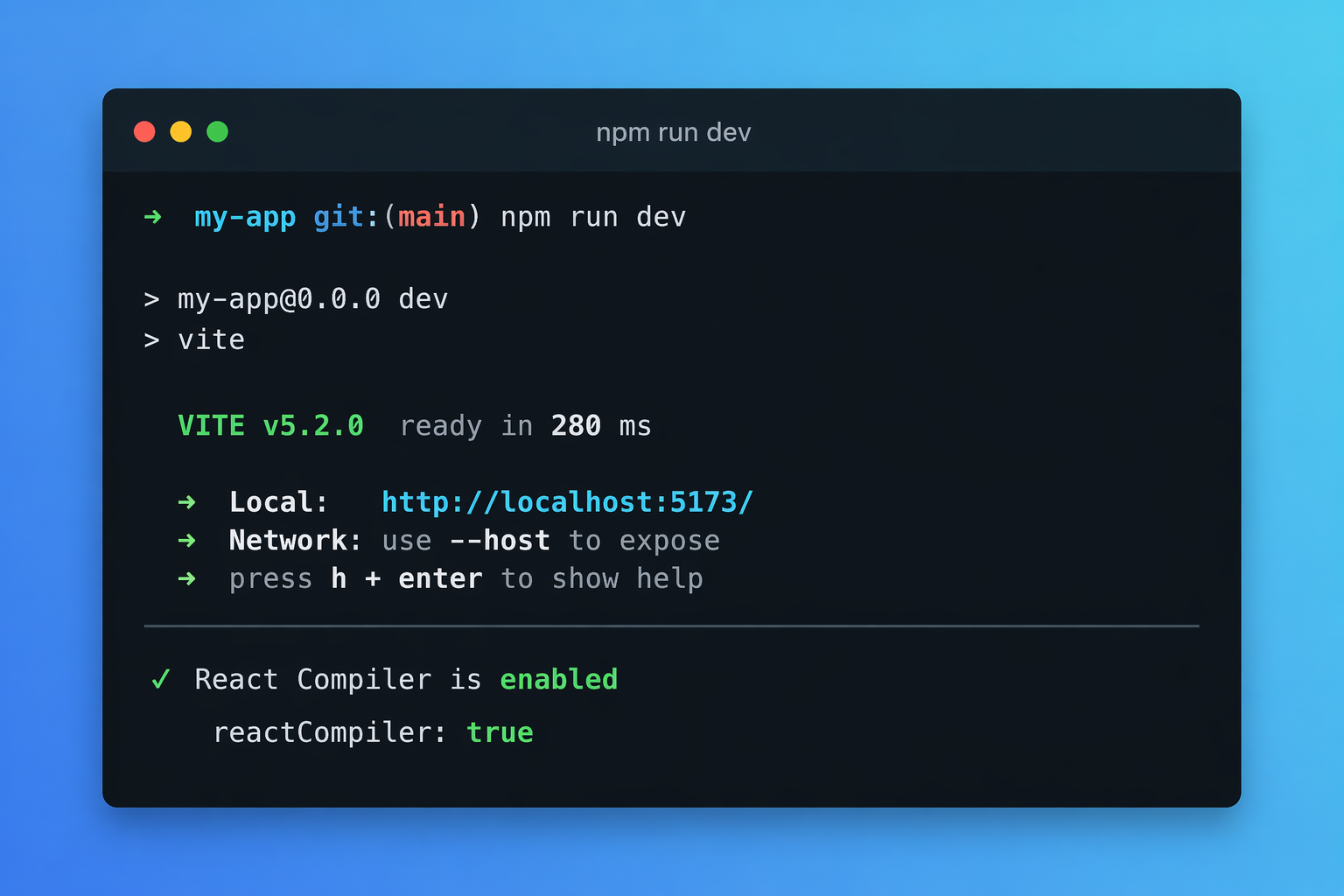
"Should I turn on React Compiler?" is one of the most common questions I'm seeing from SaaS teams on Next.js 16 right now.
The honest answer is: it depends on what you think it's going to do for you.
I've been running React Compiler 1.0 in a production Next.js 16 app. This post is the no-hype version of what actually changed, what didn't, and whether it's worth the ten seconds it takes to enable.
React Compiler is a build-time tool, not a runtime feature. It does not change what your app can do — only how often it re-renders.
If your app feels slow because of data fetching, heavy computations, or bad architecture, the compiler will not fix any of that.
What React Compiler Actually Is
React Compiler is a build-time optimizer that automatically memoizes components, props, and hook return values — the work you'd otherwise do by hand with useMemo, useCallback, and React.memo.
It's not a runtime feature. It's a Babel plugin that rewrites your components so they only re-render when their actual inputs change, not whenever a parent decides to re-render.
As of 2026, React Compiler has shipped 1.0 stable, and Next.js 16 supports it with a single config flag. That's significant because it means you can turn it on across an entire app without any code changes.
Enabling It on Next.js 16
One line in next.config.ts:
import type { NextConfig } from "next"

const nextConfig: NextConfig = {
  reactCompiler: true,
  // ...rest of your config
}

export default nextConfig
Plus the dev dependency:
npm install --save-dev babel-plugin-react-compiler
That's the whole integration. Next.js wires up the Babel plugin for you.
One practical note: once you turn this on, your build step runs additional compilation. On a small-to-medium SaaS app, I did not notice a meaningful dev-server or production-build slowdown. On a large monorepo, expect a small but real hit.
What Actually Changes
1. You Can Delete Most useMemo and useCallback Calls
This is the biggest practical win. The compiler does the same work automatically. If your codebase is full of defensive memoization, you can clean it up. Components become noticeably easier to read.
2. Re-Render Cascades Get Smaller
Anywhere a parent was re-rendering and dragging unrelated children with it, the compiler cuts those chains. Same thing React.memo did for you — just applied everywhere without you marking each component manually.
3. Less Prop-Drilling Pain
Passing objects and functions down used to force you to useMemo them at the source or accept the re-render hit. Compiler-optimized components treat stable-reference props correctly even when you did not memoize the parent.
4. Custom Hooks Get Cheaper
Custom hooks that returned new objects on every call — a very common pattern — now only return new objects when their inputs actually change. This fixes a whole class of bugs where "a memoized child is still re-rendering for no reason."
If your app already had aggressive manual memoization and clean render boundaries, the compiler mostly lets you delete code. If your app relied on "it's fast enough," expect a measurable smoothness improvement in dashboard-heavy views with filters, lists, and charts.
What Doesn't Change
This is where most of the disappointment comes from. React Compiler does not:
Fix slow data fetching. If your dashboard is waiting on 12 API calls to load, the compiler can't help. That's still a network problem.
Fix heavy computations. If a single component does a 50ms calculation on render, it will still do that 50ms — just less often, when inputs change. You still want useMemo with a real computation inside it for expensive work.
Fix large list rendering. Virtualizing a list of 10,000 rows is still your job. The compiler will memoize each row correctly, but it won't turn 10,000 DOM nodes into 50.
Fix bad architecture. A component with 40 pieces of unrelated state is still a component with 40 pieces of unrelated state. The compiler won't re-architect your data flow.
If your app "feels slow," React Compiler is maybe a 20% win on its own. The other 80% is still real backend, data, and architecture work — which is the category I cover in Why Your Next.js App Feels Slow After Launch.
Three Real Gotchas
1. Some Components Get Skipped Silently
If a component violates the Rules of React (reading refs during render, mutating props, etc.), the compiler refuses to optimize it rather than breaking it. This is safe but easy to miss. Use React DevTools — optimized components show a small compiler badge. Anything unlabeled is being skipped, and you probably want to know why.
2. Libraries Matter
If you use a library whose hooks do not follow the Rules of React, the compiler may not memoize through them. Most modern libraries (TanStack Query, Zustand, Jotai) are fine. Older or more improvised libraries can be a source of "why isn't this component optimized" questions.
3. You Still Need to Profile
Turning the compiler on is not a substitute for measuring. Open the React Profiler, find your slow interactions, and verify. Enabling it on one app surfaced a render storm I didn't know existed — because cleaning up the surrounding manual useMemo calls revealed the real source.
React Compiler is not a replacement for profiling. It raises the floor of your app's performance — it does not raise the ceiling.
Who Should Turn It On Today
- Small-to-medium Next.js 16 apps with real users. Near-zero downside, meaningful cleanup.
- Dashboard and admin-heavy SaaS products where many independent widgets re-render together. This is the sweet spot.
- Teams that had aggressive manual memoization. You get your codebase back.
Who should hold off:
- Apps stuck on older Next.js or Pages Router. The compiler works, but the integration is messier. Migrate first.
- Apps with very custom Babel setups. Debug the Babel chain before adding another plugin.
- Apps that aren't actually slow. If performance isn't a complaint, turning this on won't suddenly give you product-market fit.
Final Take
React Compiler is the kind of quiet upgrade that matters more in aggregate than per-feature. It's not a magic button. It's a build-time tool that makes the normal ways React apps go wrong happen less often, and lets you delete a bunch of defensive code in the process.
For a SaaS team on Next.js 16, the realistic outcome is: slightly smoother dashboards, less memoization cognitive load, and the ability to stop worrying about a specific class of performance bug. That's worth a config flag.
If you're also dealing with genuinely slow pages, weird re-render loops, or a dashboard that's getting heavier release after release, the fix is almost always upstream of the compiler — in data fetching, component boundaries, or state architecture. That's the kind of work I cover in Next.js Performance Optimization.
If your product is live and speed is hurting UX, book a 20-minute strategy call.
Working on a SaaS that's starting to feel fragile?
Talk to an engineer about the parts that break first — without rewriting what already works. We'll recommend focused support or a compact team based on your scope.
Talk to an Engineer