
Next.js Security Release on July 20: What SaaS Teams Should Do Before Patch Day
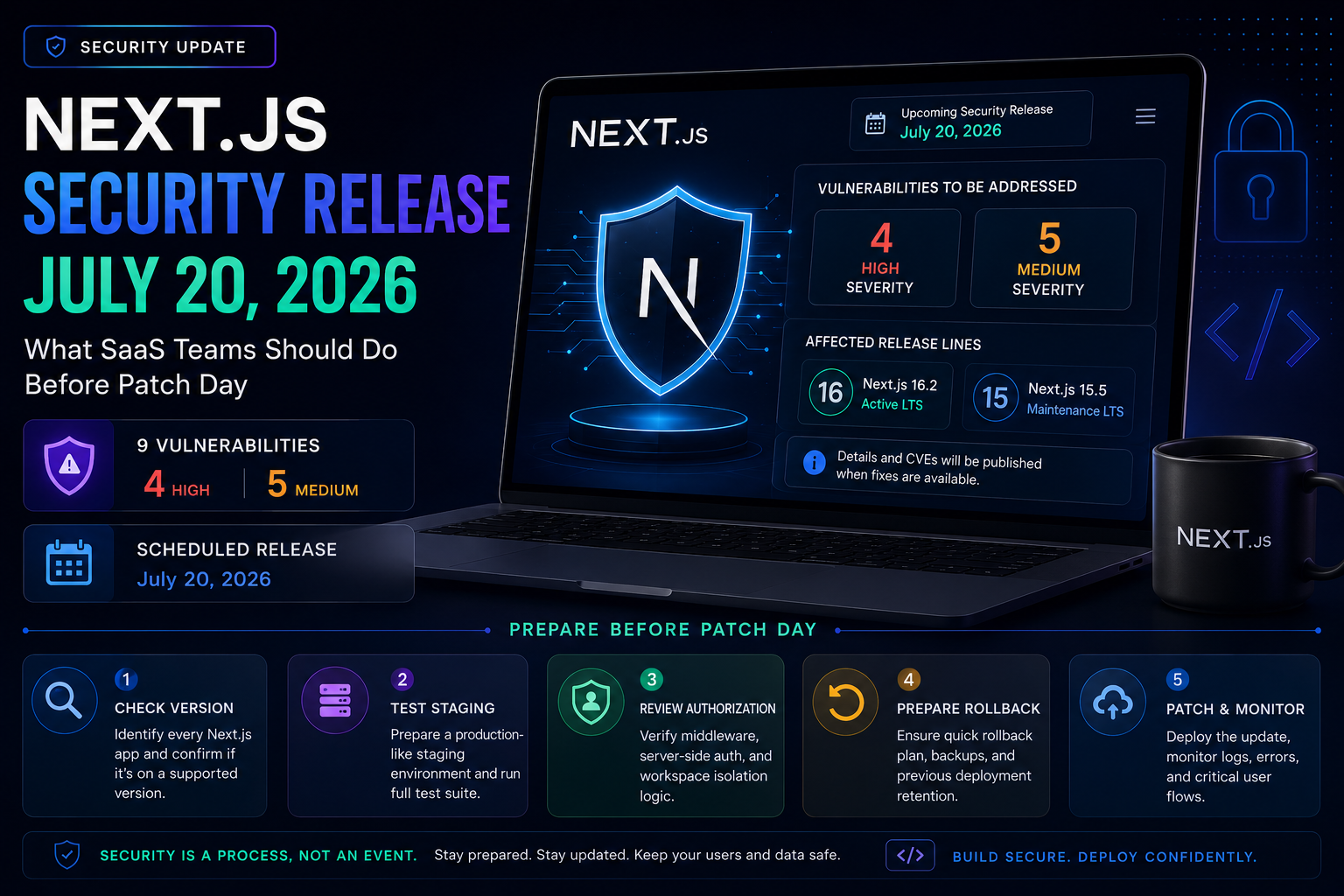
The Next.js team has announced a scheduled security release targeting July 20, 2026.
The release is expected to include patches for Next.js 16.2 and 15.5 and address nine security issues:
- Four high-severity vulnerabilities
- Five medium-severity vulnerabilities
The technical details and CVE identifiers have not been published yet. That is intentional. Full details are expected when patched versions become available.
For SaaS founders and engineering teams, the right response is not panic.
It is preparation.
Teams should identify their current Next.js version, review how the application is deployed, prepare a safe testing path and ensure someone is available to upgrade the application when the patches are released.
What Next.js Announced
Next.js is introducing a more predictable security-release process.
Previously, most Next.js security patches were published when fixes were ready, often with little advance notice. The new process is intended to give development teams time to plan upgrades, prepare testing environments and coordinate production deployments.
The first scheduled release is targeting July 20, 2026.
According to the official announcement, patches are planned for:
- Next.js 16.2
- Next.js 15.5
The update is expected to address four high-severity and five medium-severity security problems.
At this stage, the Next.js team has not disclosed:
- The affected framework components
- Exploitation requirements
- CVE identifiers
- Whether public exploits exist
- Whether every patch requires application-level changes
Those details should be available after the fixed versions are released.
Why Teams Are Receiving Advance Notice
Publishing complete vulnerability details before patches are available could help attackers target unpatched applications.
Instead, the advance notice gives teams enough information to prepare operationally without revealing the underlying weaknesses.
This approach allows development teams to:
- Identify affected applications.
- Reserve engineering time.
- Prepare staging environments.
- Review automated tests.
- Coordinate with hosting and security providers.
- Patch quickly after publication.
The Next.js team has also said urgent issues will not wait for the monthly schedule. Vulnerabilities that are actively exploited or cannot safely wait will still receive emergency releases.
Which Applications Should Prepare?
Every production application using Next.js should check its installed version.
Run:
npm list next
Or inspect the project's package.json and lock file.
You can also run:
npx next info
Record:
- Next.js version
- React version
- Node.js version
- Deployment platform
- Package manager
- Build command
- Runtime configuration
This creates a baseline before changing dependencies.
Next.js 16 Applications
Next.js 16 is currently the Active LTS major version.
The announced security update specifically includes the Next.js 16.2 release line.
Teams using an older 16.x version should not assume they are automatically protected. The safest action is to wait for the official release instructions and upgrade to the patched version recommended by the Next.js team.
Do not upgrade blindly before reading the advisory.
A security update can include changes affecting:
- Middleware or proxy behaviour
- Server Components
- Route handlers
- Caching
- Image processing
- Request handling
- Deployment adapters
The exact affected components will only be known after disclosure.
Next.js 15 Applications
Next.js 15 is currently in Maintenance LTS.
Maintenance LTS receives essential security updates and critical fixes rather than regular feature development.
The July release is expected to include a patch for Next.js 15.5, which means teams still using Next.js 15 should verify whether their application can move to the patched 15.5 version without regressions.
This update should also act as a reminder to plan a controlled migration to Next.js 16.
Remaining indefinitely on an older major version increases future upgrade difficulty, especially when several security and framework changes accumulate.
Next.js 14 and Earlier
Next.js 14 and earlier versions are outside the currently supported LTS versions.
The official support policy lists:
- Next.js 16 as Active LTS
- Next.js 15 as Maintenance LTS
- Next.js 14 and earlier as unsupported
Teams running unsupported versions should not assume that a compatible patch will be released.
The practical options may be:
- Upgrade to a supported Next.js version.
- Apply hosting-provider mitigations temporarily.
- Reduce public exposure where possible.
- Arrange an urgent technical review.
- Monitor the official advisory for exceptional backports.
A firewall rule or hosting mitigation can reduce immediate exposure, but it should not be treated as a permanent replacement for upgrading the application.
What SaaS Teams Should Do Before July 20
1. Identify every Next.js application
Create a list containing:
- Repository
- Production URL
- Current Next.js version
- Owner
- Hosting platform
- Production importance
- Customer data handled
- Upgrade status
Do not check only the primary SaaS dashboard.
Your organization may also have:
- Admin portals
- Marketing applications
- Internal tools
- Customer-support dashboards
- Preview environments
- Old prototypes still publicly deployed
- White-label client applications
A forgotten deployment can remain vulnerable even if the primary application is patched.
2. Confirm the application is on a supported version
Applications using Next.js 15 or 16 are in a better position to receive supported patches.
Applications using Next.js 14 or earlier should immediately estimate the work required to reach a supported release.
Do not wait for full vulnerability details before beginning that assessment.
The upgrade does not need to be deployed before the advisory, but the team should understand:
- Expected breaking changes
- Dependencies that may conflict
- Required Node.js version
- Build failures
- Deprecated APIs
- Middleware changes
- Caching differences
3. Prepare a staging environment
Never make the first upgrade attempt directly in production.
A useful staging environment should match production in:
- Environment variables
- Node.js version
- Database schema
- Build command
- Hosting configuration
- Middleware
- External integrations
- Authentication behaviour
Use test credentials and non-production data wherever possible.
4. Review your highest-risk routes
Prioritize routes that process sensitive or untrusted data.
Examples include:
- Login and signup
- Password reset
- OAuth callbacks
- Payment webhooks
- File uploads
- Image processing
- API routes
- Server Actions
- Admin routes
- Middleware-protected pages
- Multi-tenant workspace routes
- Routes using user-controlled redirects
- Routes that fetch remote URLs
When details become available, this list will help determine whether your application uses the affected framework feature.
5. Strengthen automated tests
A patch is easier to deploy quickly when the important workflows are covered by tests.
At minimum, test:
- User registration and login
- Authorization between users or workspaces
- Payment checkout and webhooks
- File uploads
- Form submissions
- Email-triggering actions
- Dashboard loading
- Admin permissions
- API authentication
- Production build
For a multi-tenant SaaS product, include tests confirming that one user cannot access another customer's data.
6. Check middleware and server-side authorization
Do not rely entirely on middleware to protect sensitive data.
Middleware can be useful for redirects and early request filtering, but important authorization checks should also occur close to the protected server-side operation.
For example:
export async function getInvoice(invoiceId: string, userId: string) {
  const invoice = await db.invoice.findFirst({
    where: {
      id: invoiceId,
      workspace: {
        members: {
          some: {
            userId,
          },
        },
      },
    },
  });

  if (!invoice) {
    throw new Error("Invoice not found or access denied");
  }

  return invoice;
}
The database query itself limits access to invoices belonging to a workspace where the user is a member.
A URL check, hidden button or middleware redirect should not be the only authorization boundary.
7. Confirm rollback capability
Before upgrading, confirm that you can return to the previous deployment.
You should know:
- How to restore the previous application build
- Whether the deployment changes the database
- Whether environment variables need modification
- Whether package-lock changes can be reverted
- Whether the hosting platform retains previous deployments
A security patch may still introduce an application-specific regression. Fast rollback reduces downtime while the issue is investigated.
8. Avoid unnecessary dependency updates
When the security patch is released, update the packages required to apply the fix.
Avoid combining it with:
- UI redesigns
- Database migrations
- Major library upgrades
- Refactoring
- New features
- Build-system changes
A small, isolated security pull request is easier to test, review and roll back.
9. Assign ownership now
Someone should be responsible for:
- Reading the advisory
- Opening the upgrade pull request
- Running tests
- Deploying staging
- Reviewing logs
- Approving production
- Monitoring after deployment
Without clear ownership, teams can lose hours deciding who should act after the patch becomes public.
What to Do When the Patch Is Released
Once the official advisory becomes available:
Step 1: Read the full advisory
Confirm:
- Affected versions
- Patched versions
- Severity
- Affected framework features
- Exploitation conditions
- Recommended mitigations
- Whether public exploitation is known
Step 2: Upgrade the correct dependency
Use the exact patched version recommended by the Next.js team.
For example:
npm install next@PATCHED_VERSION
Do not copy a version number from social-media posts.
Use the official Next.js announcement, npm package information or GitHub release.
Step 3: Inspect the dependency changes
Review:
git diff package.json package-lock.json
Confirm that only expected packages changed.
Step 4: Build locally
Run:
npm run build
Resolve warnings and errors before staging deployment.
Step 5: Run automated and manual tests
Focus on the workflows most likely to be affected by the disclosed issue.
Step 6: Deploy to staging
Review:
- Server logs
- Authentication
- API behaviour
- Route navigation
- Cache behaviour
- Image loading
- Payment and email integrations
Step 7: Deploy to production
Use a controlled deployment rather than an unrelated release containing several features.
Step 8: Monitor after deployment
Watch:
- Error rate
- Response times
- Failed API requests
- Login failures
- Payment webhook failures
- Server CPU and memory
- Unexpected cache behaviour
Should Teams Upgrade Before July 20?
Do not install an unknown or unofficial version merely because a security release is coming.
However, teams should already move toward the latest supported stable release within their current major version.
If you are running an old Next.js 16.x or 15.x version, updating to the current stable release can reduce the size of the final patch-day change.
Applications on Next.js 14 or earlier should begin planning a supported-version upgrade immediately.
What Founders Should Ask Their Development Team
A founder does not need to personally inspect framework internals.
They should ask:
- Which Next.js version are we running?
- Is that version officially supported?
- Who will review the July 20 advisory?
- Do we have a staging environment?
- Are authentication and authorization flows tested?
- Can we roll back a failed deployment?
- How quickly can we patch after release?
- Are any old deployments still publicly accessible?
- Will we receive confirmation after production is updated?
A vague answer such as "Vercel handles security" is not enough.
Hosting providers may deploy temporary mitigations, but application owners remain responsible for updating dependencies and validating their products.
Why the New Release Process Is Good for SaaS Teams
A predictable security schedule makes maintenance easier.
Teams can:
- Reserve engineering time
- Notify customers when appropriate
- Coordinate upgrades
- Improve regression testing
- Reduce emergency deployments
- Create repeatable patch procedures
It also reinforces an important production principle:
Framework maintenance is part of operating a SaaS product.
Launching the application is not the end of engineering work.
Dependencies, runtimes, authentication providers, payment integrations and cloud services continue changing after launch.
Final Assessment
The July 20 Next.js security release is expected to address nine vulnerabilities across the supported Next.js 16.2 and 15.5 lines.
The vulnerability details are not public yet, so teams should avoid speculation.
The right action today is to:
- Identify every Next.js application
- Confirm installed versions
- Move away from unsupported releases
- Prepare staging
- Review critical workflows
- Strengthen tests
- Confirm rollback
- Assign patch ownership
Once the official update becomes available, teams should review the advisory and deploy the recommended patched version through a controlled production process.
Security patching should not begin on patch day.
Preparation should.
Need Help Reviewing a Next.js SaaS Application?
I help SaaS founders and teams review Next.js applications for production readiness, including authentication, authorization, dependency risk, deployment configuration, performance and monitoring.
Explore production-readiness upgrades, review Next.js performance services, or book a 20-minute strategy call.
Sources
Working on a SaaS that's starting to feel fragile?
Talk to an engineer about the parts that break first — without rewriting what already works. We'll recommend focused support or a compact team based on your scope.
Talk to an Engineer